Module Access | Process
Because its infrastructure is separate from Dadosfera's other native modules, access and management for the Processing Module are not currently integrated with Dadosfera access management. See below for how to manage access to this module:
📘
We strongly recommend individual logins for Dadosfera access, enabling better permission control and auditing.
Dadosfera does not limit the number of users per customer.
First Access
Dadosfera support emails the organization's Super Admin the initial access credentials once the module is purchased. After this initial access, the organization manages access itself.
Access Management
Creating users
- Open your environment.
- On the home page, go to 'Settings' in the upper-right corner:

- In the menu that opens on the left, go to 'User management':
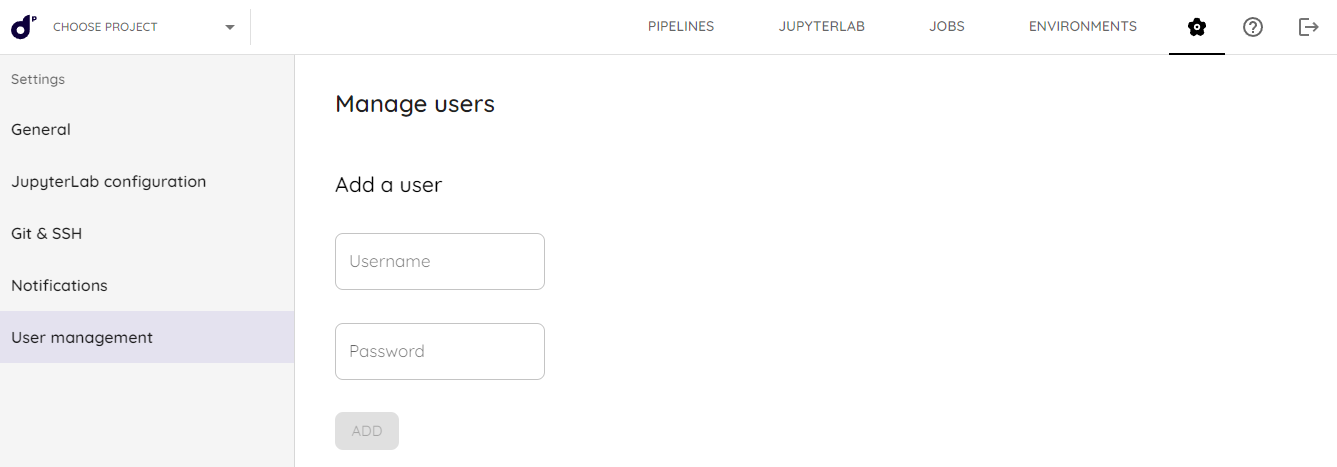
- Set the Username (which can be an email) and Password, then click 'Add'.
- Securely share the credentials.
📘
Dadosfera support provides the first module user account. That user is responsible for subsequent access.
Deleting users
- Open 'User management'.
- Find the user in the 'Delete users' list and press 'DELETE'.