Data Connector - Sponte
This step collects data from the Sponte API using Full Load when there is no execution history, or Incremental when an update date/time has already been recorded.
Contents
- Overview
- Main Files and Variables
- Environment Configuration Variables
- Step Configuration Variables
- Parameter Configuration Example
- How the Workflow Works
- How to Run
- Important Considerations
- References
Overview
This connector interacts with the endpoint:
GET https://sponte-bi.sponteweb.com.br/api/v1/extracoes/{endpoint}
It observes:
- A limit of 1000 requests per minute, shared across all endpoints, automatically calculating the maximum requests per step in the module.
- Incremental filtering through DataExtracao, returning only data updated since the date of the last request.
- The Sponte customer code(s) passed in the step configuration.
If no execution history exists (first run), a full load collects all available endpoint records from the "Data Extracao" provided in the step form. Subsequent runs retrieve only records updated after the last recorded date.
Main Files and Variables
- get_sponte_data.py: Python file containing the collection logic and these functions:
- get_last_update();
- save_last_update();
- find_max_updated_at();
- fetch_data();
- clean_data();
- process_and_send_df_to_next_step();
- process_and_upload_to_s3();
- run().
- state/lastupdate{endpoint}.json: File storing the last update date/time (ISO 8601 format with a trailing Z). If this file is missing or invalid, the script performs a Full Load.
Environment Configuration Variables:
- api_key: x-api-key for the customer's Sponte connection.
Step Configuration Variables:
-
endpoint: Endpoint from which to extract data.
-
input_type: Input type received by the step; choose from_incoming_variable or from_step_param.
- If input_type = "from_incoming_variable"
- incoming_variable_name: Add the previous step's variable name.
- data_extracao: Add the extraction start date in "YYYY-MM-DD" format, for example "2025-01-01".
- If input_type = "from_step_param"
- cod_cli_sponte: Add the Sponte customer codes to extract. This can be one code or several, for example: 123, 124, 125 (separate multiple codes with commas).
- data_extracao: Add the extraction start date in "YYYY-MM-DD" format, for example "2025-01-01".
- If input_type = "from_incoming_variable"
-
output_type: Output type produced by the step; choose send_dataframe_to_next_step or upload_to_s3.
- If output_type = "send_dataframe_to_next_step"
- outgoing_variable_name: Name of the variable that passes a pandas DataFrame to the step's output variable.
- If output_type = "upload_to_s3"
- bucket_name: S3 bucket where files will be uploaded.
- prefix: Folder prefix inside the bucket where files will be uploaded. Example: "Sponte/incremental/endpoint".
- If output_type = "send_dataframe_to_next_step"
Parameter Configuration Example:
-
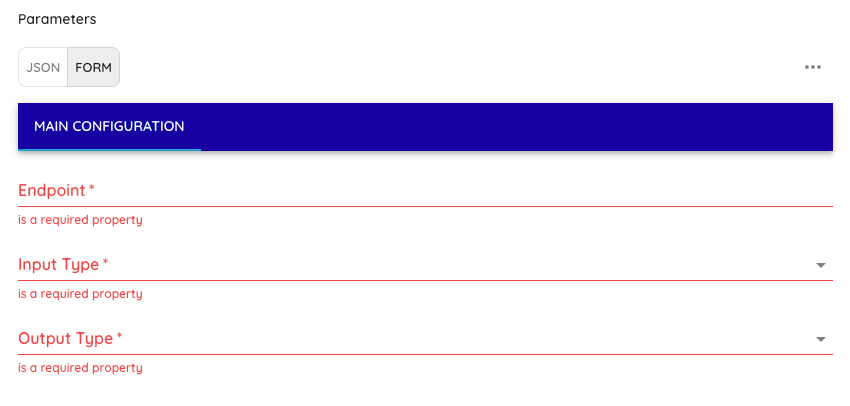
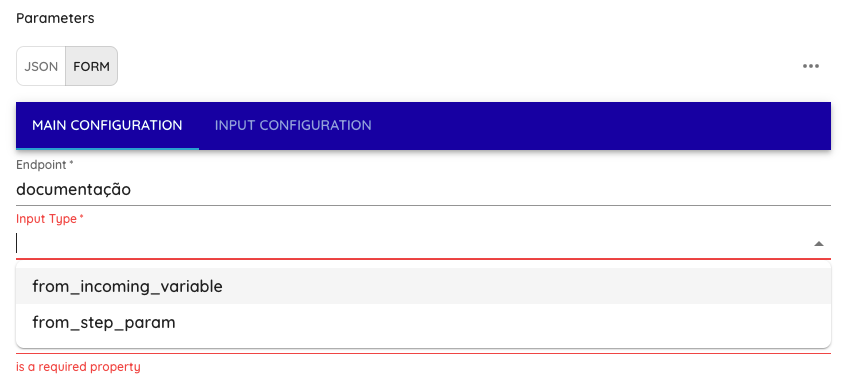
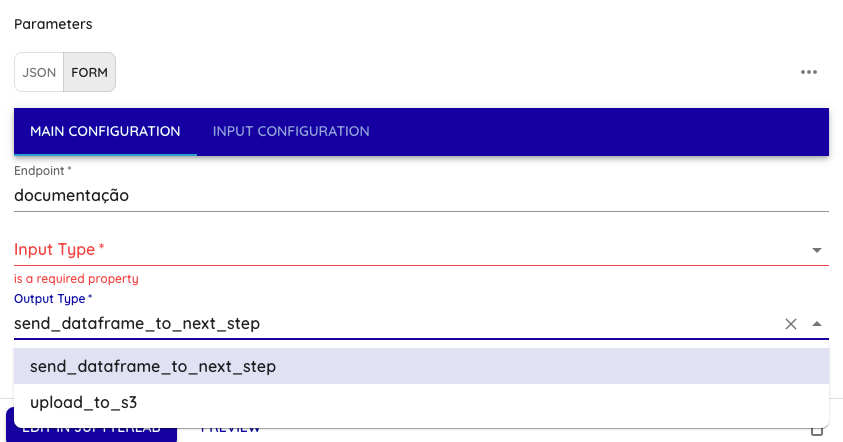
Step 1 (Main Configuration tab):
- Enter the endpoint;
- Select the Input Type;
- Select the Output Type.
-
Enter the endpoint
- Select the Input Type
- Select the Output Type
-
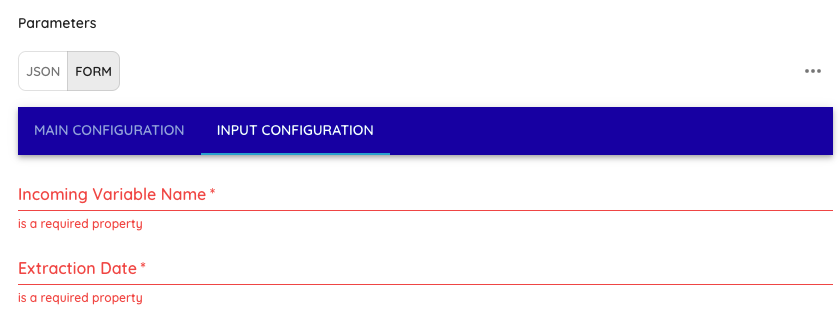
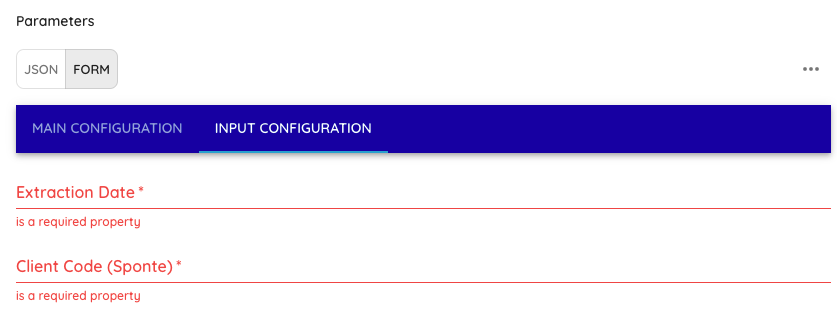
Step 2 (Input Configuration tab)
-
If input_type = "from_incoming_variable"
- Incoming Variable Name: Add the previous step's variable name.
- Extraction Date: Add the extraction start date in "YYYY-MM-DD" format, for example "2025-01-01".
-
-
If input_type = "from_step_param"
- Extraction Date: Add the extraction start date in "YYYY-MM-DD" format, for example "2025-01-01".
- Client Code (Sponte): Add the Sponte customer codes to extract. This can be one code or several, for example: 123, 124, 125 (separate multiple codes with commas).
-
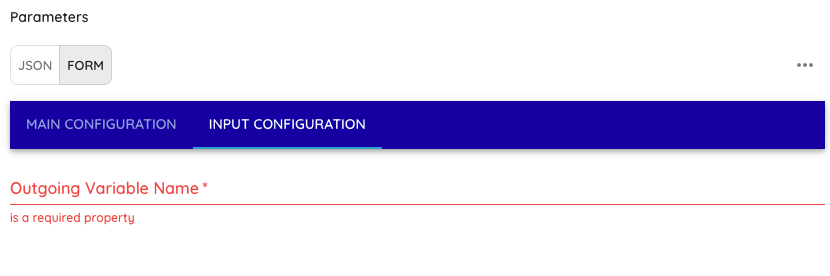
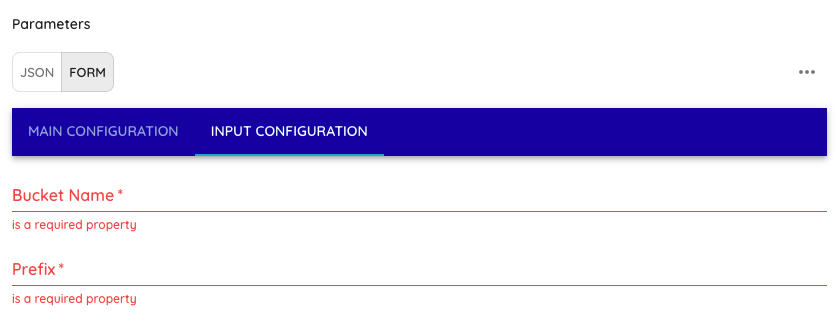
Step 3 (Input Configuration tab):
-
If output_type = "send_dataframe_to_next_step"
- Outgoing Variable Name: Name of the variable that passes a pandas DataFrame to the step's output variable.
-
If output_type = "upload_to_s3"
- Bucket Name: S3 bucket where files will be uploaded.
- Prefix: Folder prefix inside the bucket where files will be uploaded. Example: "Sponte/incremental/endpoint".
-
How the Workflow Works
- Checking the History File (last_update.json)
- The script calls get_last_update() to check for a saved date/time.
- If none exists, it uses
None→ Full Load from the extraction date provided in the step. - If one exists (for example,
"2024-12-27T10:46:28Z"), it uses that value → Incremental.
- If none exists, it uses
- Data Collection (
fetch_data())
- Builds the request using the supplied parameters (DataExtracao and CodCliSponte).
- Loops through requests until reaching the total record count reported by the API.
- Observes the limit of 1000 requests per minute shared across endpoints, calling
time.sleep(60)when that limit is reached.
- Processing and Saving
- All data is accumulated in
all_data. - The script converts the list of dictionaries and checks the "output_type" step parameter:
- If output_type = "upload_to_s3" - The step saves a Parquet file and writes it to the S3 bucket specified in the step settings.
- If output_type = "send_dataframe_to_next_step" - The step creates a DataFrame from the list of dictionaries and passes that list as a variable to a subsequent step.
- Updating
last_update
- After collection, the script calls
find_max_updated_at()to find the latest update date/time in the returned data. - If a value (
DataExtracao) is found,save_last_update()saves it in lastupdate{endpoint}.json.
- Future Runs
- On the next run,
get_last_update()finds this value.- The script fetches only records updated after that timestamp, reducing load and processing time by performing an incremental load only.
How to Run
- Install Dependencies
- Make sure requests, json, time and other standard Python 3 libraries are available.
- Configure Variables
- Set the required step values. Check both tabs ("Main Configuration" and "Input Configuration").
- Set a valid Sponte api_key.
- Adjust LASTUPDATE_PATH if you want a different path (default: state/last_update{endpoint}.json).
- Run the Script
- On the first run, the script will not find state/lastupdate{endpoint}.json and performs a full load from the supplied DataExtracao.
- At the end, it creates (or updates) state/lastupdate{endpoint}.json with the highest updated_at.
- On the second run, it uses incremental mode (only data updated after the stored date).
Important Considerations
- Sponte Code List
- If you need a dynamic Sponte code list, inform Dadosfera so it can be developed. The step supports specific codes as it is.
- Record Count
- With many endpoints, the initial load may take a while because of the rate limit (1000 requests per minute divided among endpoints).
- Persistence
- After retrieving the data, you can save it to an AWS S3 path in Parquet format or pass it as a DataFrame to a subsequent step.
- Errors and Exceptions
- If the API returns an error (for example, 401 or 500), the script logs the problem and raises the exception.
- For network issues or timeouts, review the retry/timeout logic in requests.get().