Query (SQL) | Explore
Overview
Querying the data warehouse in Dadosfera is done through its Snowflake integration, which offers a practical interface for users. This page covers some key capabilities, and you can go deeper in the official Snowflake documentation.
In the left panel of your Dadosfera environment, click "Consolidar" and you will be taken to Snowflake, where you can run queries with SQL commands, functions, and operators.
The new workspace displays the main menu that lets you navigate the available features.
Menus
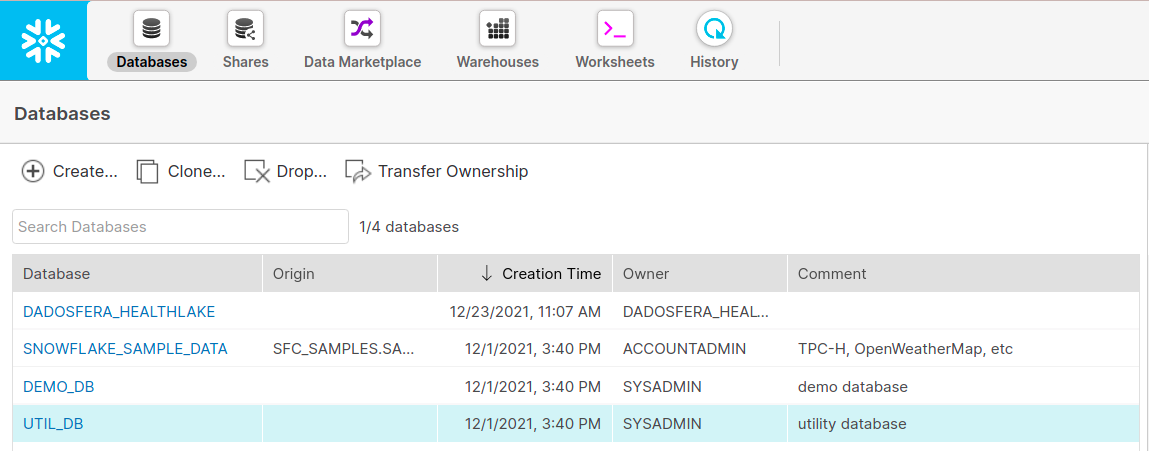
Databases
Area for managing your databases.
Create, duplicate, delete, or filter databases. In addition to management, this panel provides an overview of database information such as source, creation date, creator, and comments.
Worksheets
Explore objects such as databases, tables, schemas, and views with SQL. Use DDL operations to manipulate database objects and DML operations to interact with your data.
Queries
Run SQL queries and view details such as total query duration in the status bar.
- In the "Worksheet" tab, enter your SQL command.
- Click "Run" or use cmd/ctrl+Return/Enter to execute it and display the output in the results pane.
- Hover over the colored bar above the results pane to check the query duration.
Copy
Copy query results to the clipboard.
- Run the query as described above.
- Click "Copy" at the top of the query results pane.
Download or View Results
Download your query results in CSV format.
- Run the query.
- Click the inbox tray icon to download the query result.
- Save the CSV file in your preferred location.
Create views
Create a new view in the specified schema based on a query over one or more tables extracted by Dadosfera. For step-by-step instructions, see the Snowflake documentation: Create view.
Views are cataloged as data assets in Dadosfera daily at 00:00 UTC. A new Snowflake view will therefore be cataloged automatically for future access by you and other users, including its metadata, preview, tags, comments, and documentation.
To choose the best approach for your new data view, see this comparison table. Creating views is the recommended best practice in Dadosfera.
To use created views in analyses and dashboards, follow the step-by-step guide to refresh data in Metabase.
New Worksheet
Create multiple worksheets and load SQL scripts to run different queries simultaneously.
- Click "+" above the query input box. A new tab opens.
- Click "New Worksheet" and enter a name to rename it.
- Click the different worksheet tabs to switch between query results.
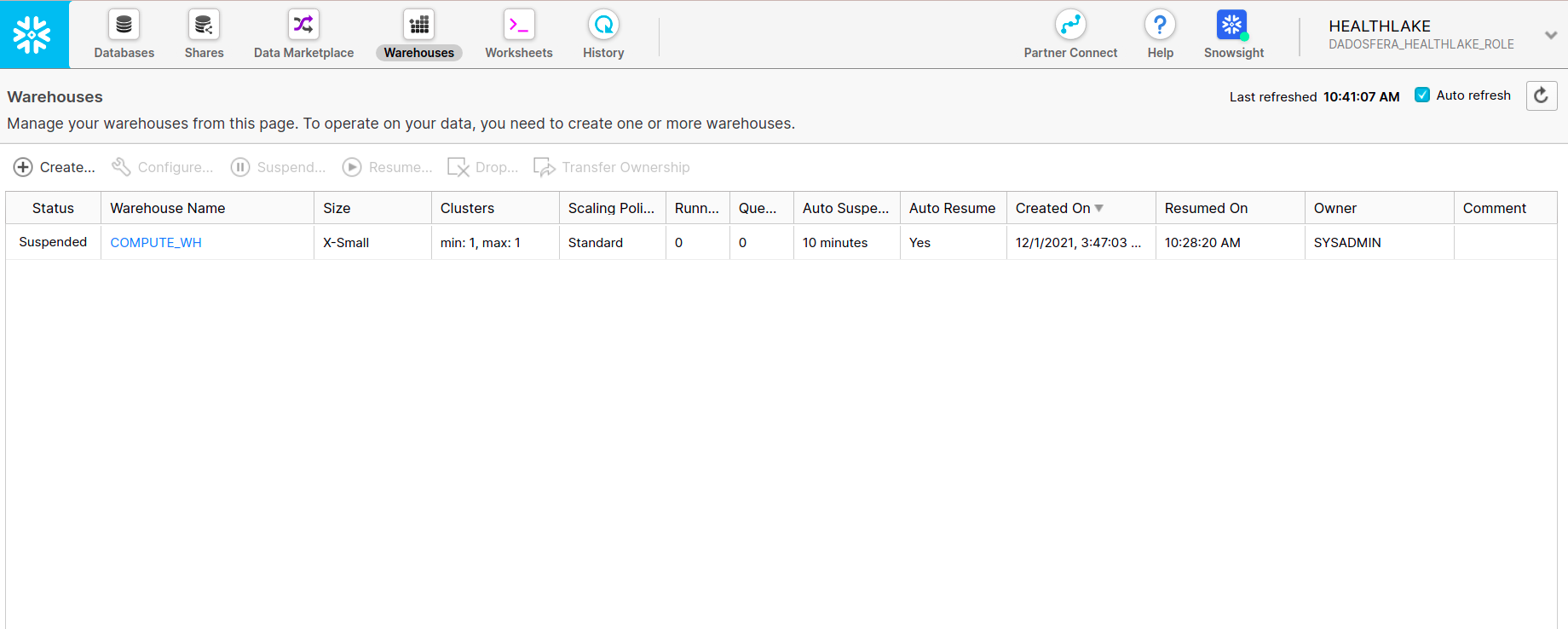
Warehouses
Create compute clusters and manage CPU, memory, and temporary storage resources to optimize operations and queries.
📘
Currently, the only warehouse size enabled for creation is X-Small (1 credit / hour) - Default size.
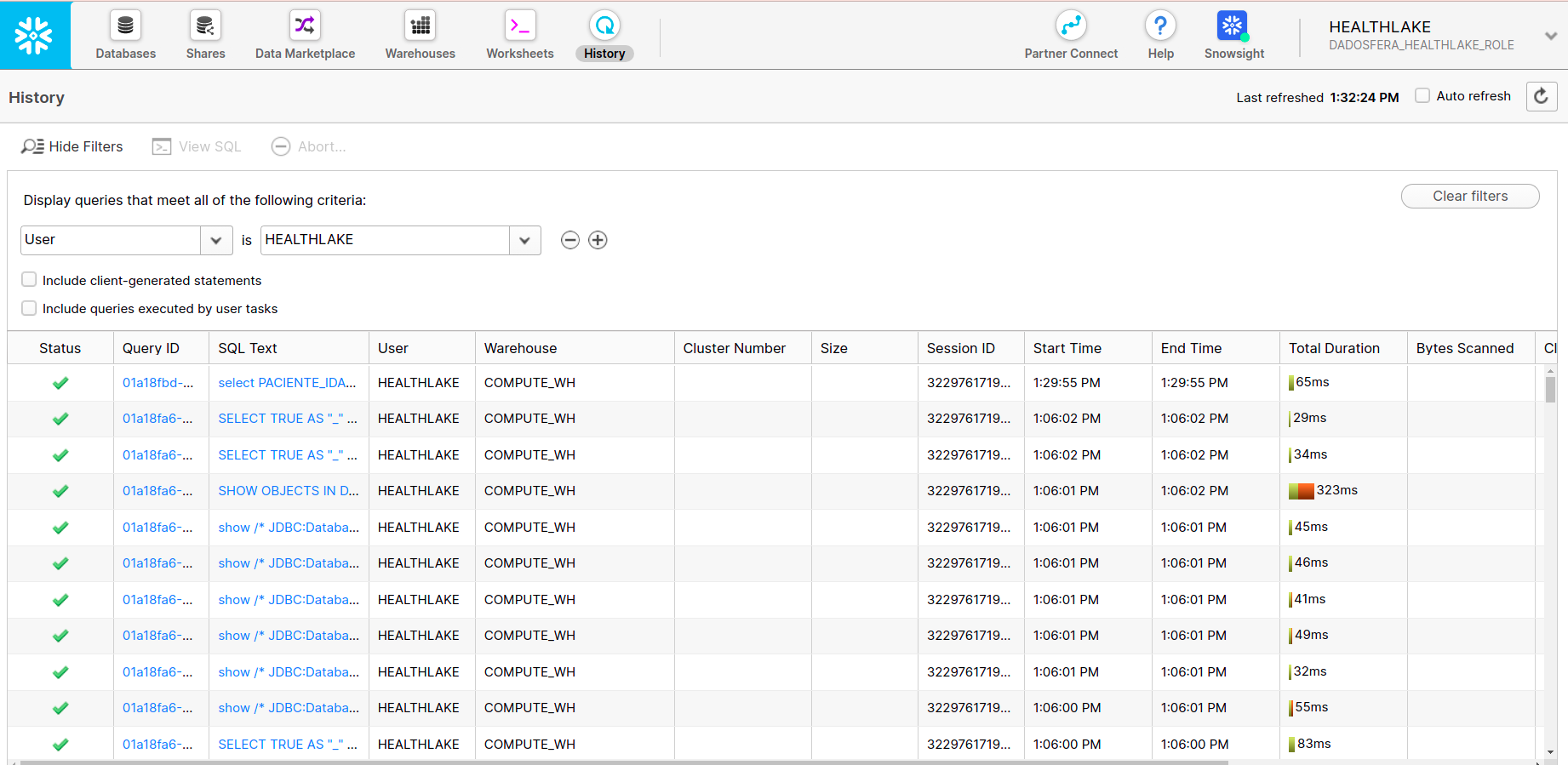
History
History shows details of queries performed in the last 14 days.
Find the following information about your queries:
- Query status (queued, running, succeeded, or failed)
- Query ID
- SQL text
- User responsible for the query
- Data warehouse used to run the query
- Query start time, end time, and duration
- Bytes scanned
- Number of rows returned