Manual Asset Registration | Explore
In addition to assets automatically cataloged by the platform, Dadosfera supports manual data asset cataloging. This ensures complete centralization and governance of your organization's assets, regardless of their origin.
The range of data assets that can be cataloged has also expanded:
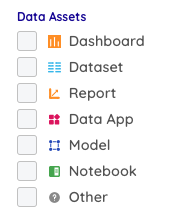
Registering an Asset Manually
- Open the data catalog in the platform.
- Click + New Data Asset.
- Fill in the requested information.
To embed the asset in Dadosfera, enable the embed option after entering the link. The embed URL is automatically used as the reference URL, but you can edit it so the two links differ.
Example
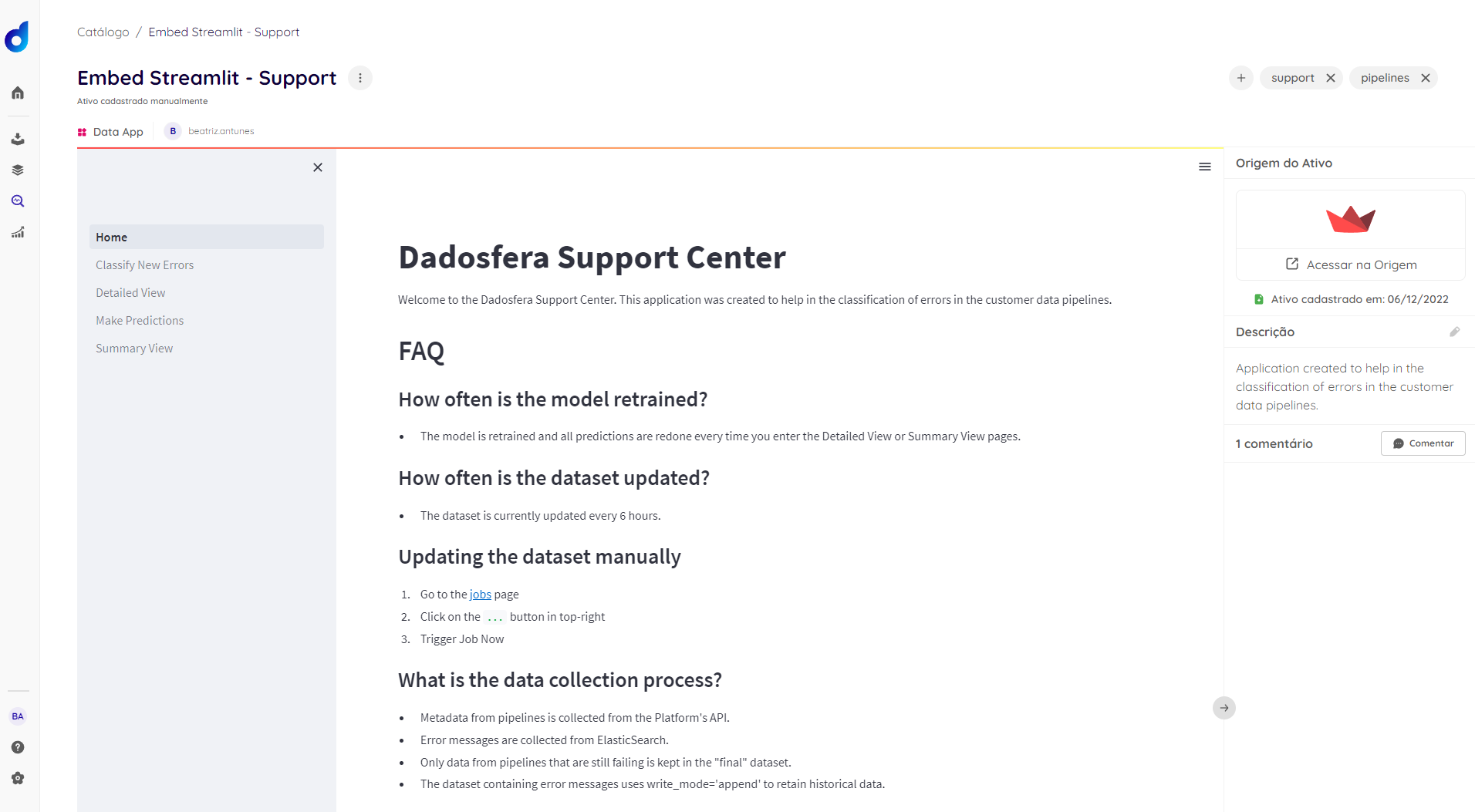
The following example shows a Data App created in the Intelligence module and manually embedded as a catalog asset for sharing and governance:
📘 Requirements
- Publicly accessible link. If the embedded link is not public, check whether authentication is required. If the asset's source platform requires a login, other users may not be able to view the embed.
- The registered URL must allow embedding. If it does not, Dadosfera will only save the link to open in a new tab, rather than embed the asset.