Data Sources
Register and manage the data sources connected to Dadosfera.
Register a Connection
You can register a new source from the Connections module or during pipeline creation.
Edit an Existing Connection
Edit the settings of an existing source by opening Connections > the connection details > ... > Edit settings.
For security reasons, all secret credentials must be filled in again during editing, even when they were not changed.
Private Networks
Need to connect to a data source that is not publicly accessible? In that case, you must make a private network available so Dadosfera can access it securely, typically through VPN.
📘 OpenVPN User Requirements
The user created for Dadosfera to access your VPN cannot require PIN or MFA. If that is not possible in your environment, contact support.
To configure a VPN in Dadosfera, open the highlighted menu below inside the "Connections" screen:
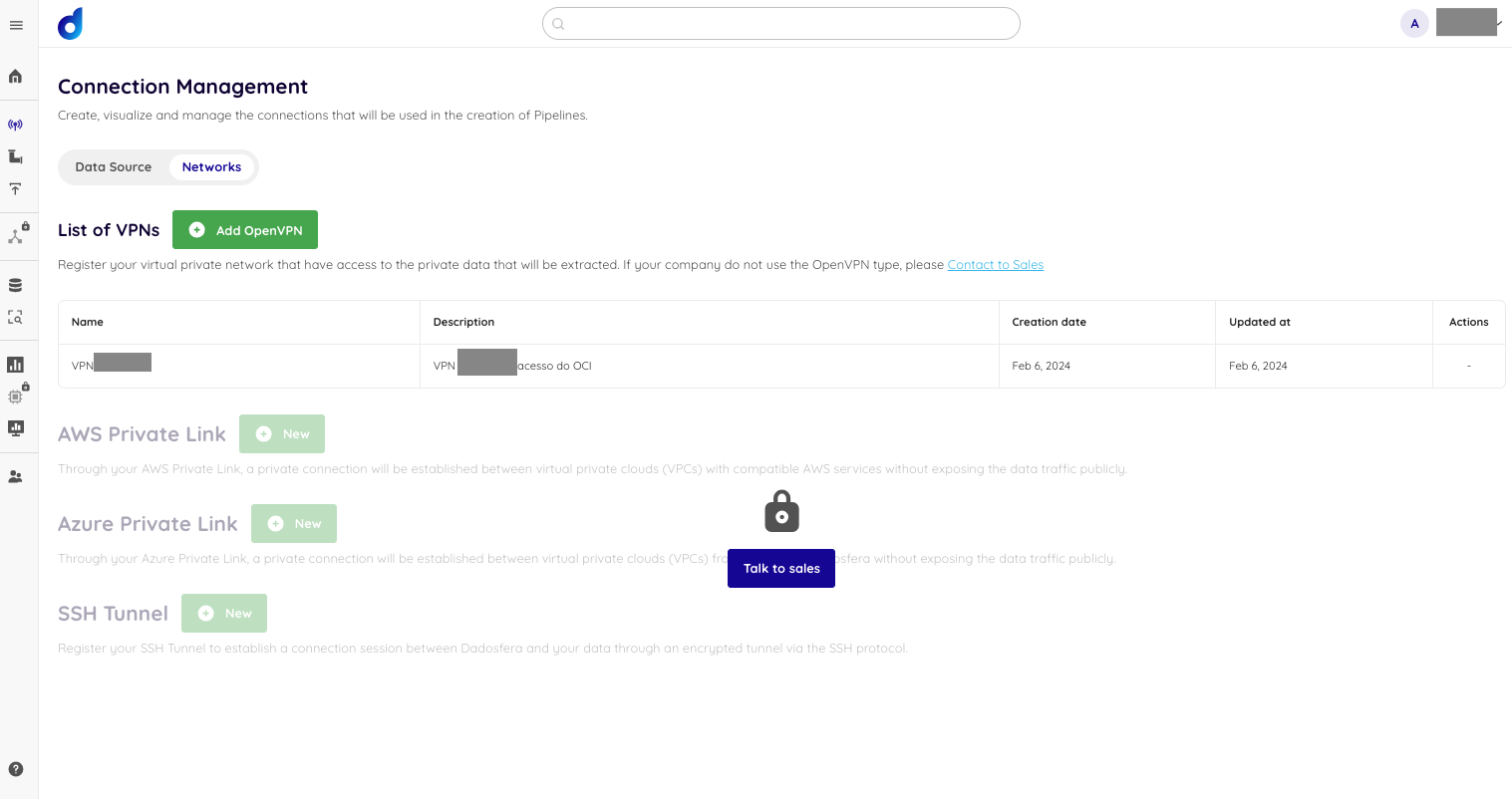
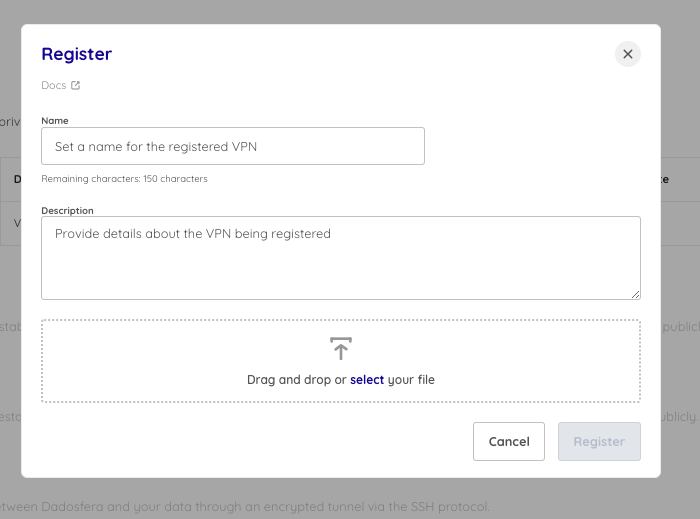
Quando se clicar para "Add OpenVPN", basta dar um nome, uma descrição e fazer o upload de um arquivo .ovpn (OpenVPN):
Acesse aqui a documentação completa.