Accessing the Table inside the Data Catalog | Dadosfera Documentation
a) Access Table
After clicking on 'Access Generated Assets' in the file details, you will be directed to the details of the table, already cataloged. You will be able to view general information, a preview, and write documentation for knowledge management about the data. In addition, you can modify name and description, write comments, and insert tags.

Center-aligned with border
This table can also be accessed through the menu on the left side, via the path: Explore > Catalog > List, and then search for the file name in the search field.
b) Categorize the Table
As soon as the table is loaded, we recommend enriching it as much as possible with metadata and documentation, facilitating the understanding and exploration of the data by other Dadosfera users.
- To associate tags go to: Catalog > List > + > Associate tag
- Create a new tag or associate an existing one
With categorization, your table will be easily found through search and filters in the catalog:
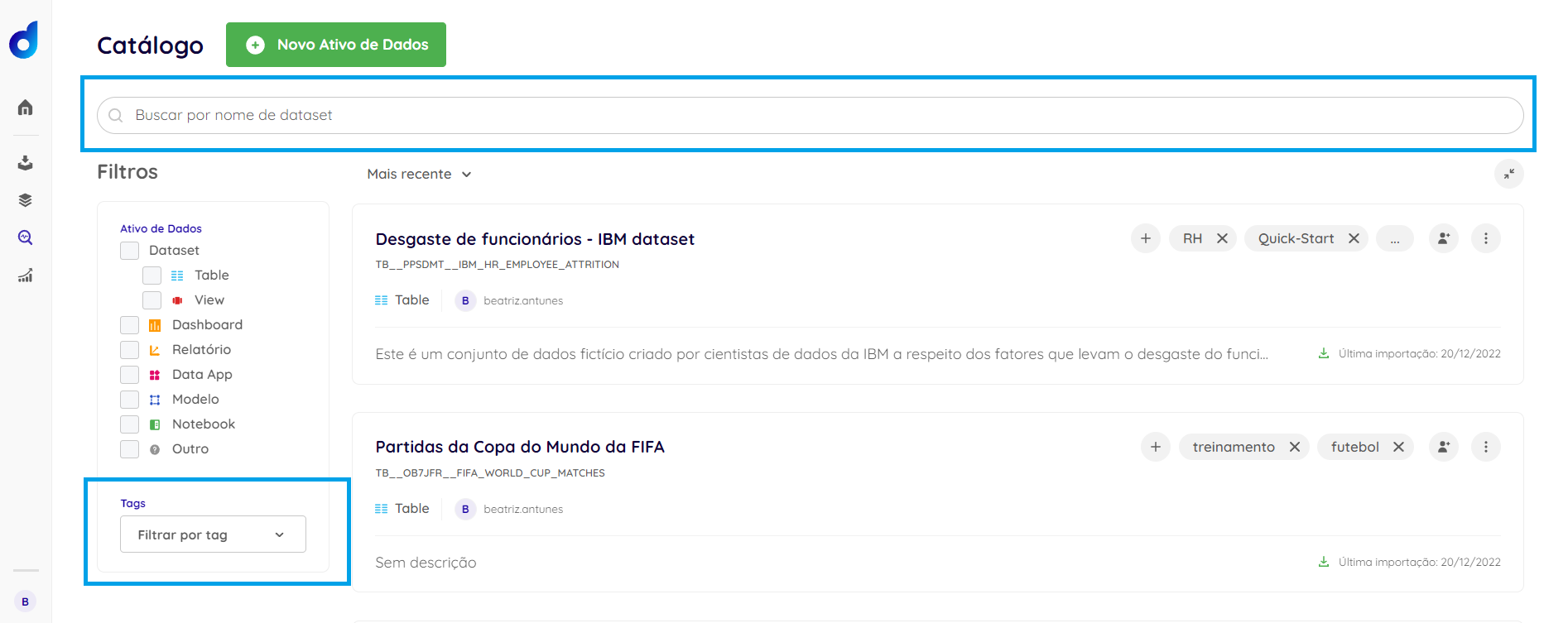
Center-aligned with border
It is also possible to make comments and insert more detailed documentation in the data assets, allowing for greater collaboration with everyone on your team.