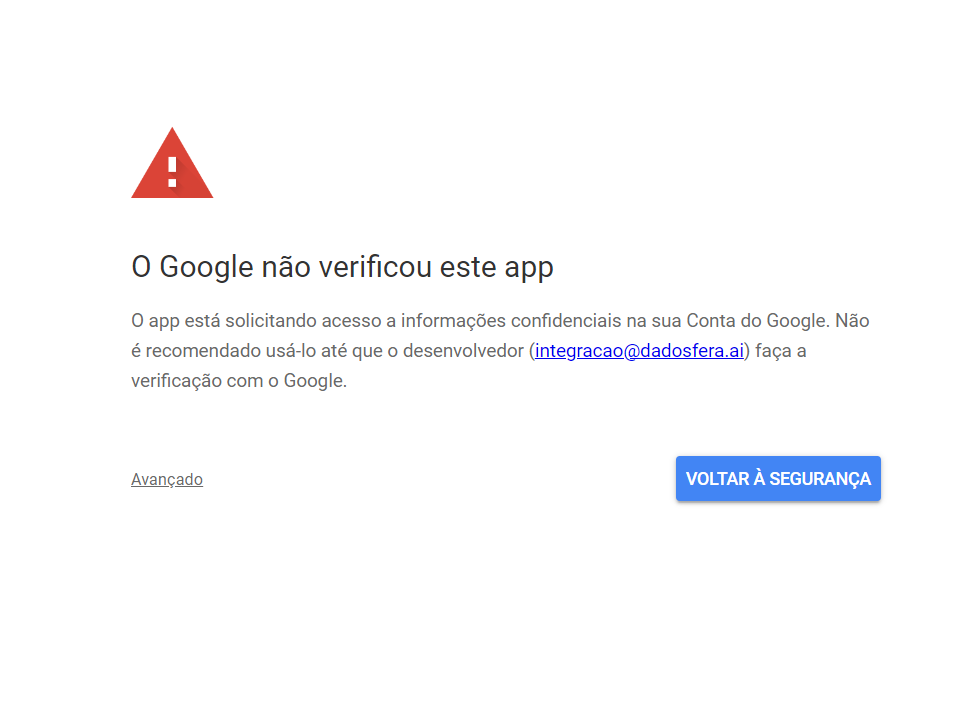
How to Create a Google Sheets Connection
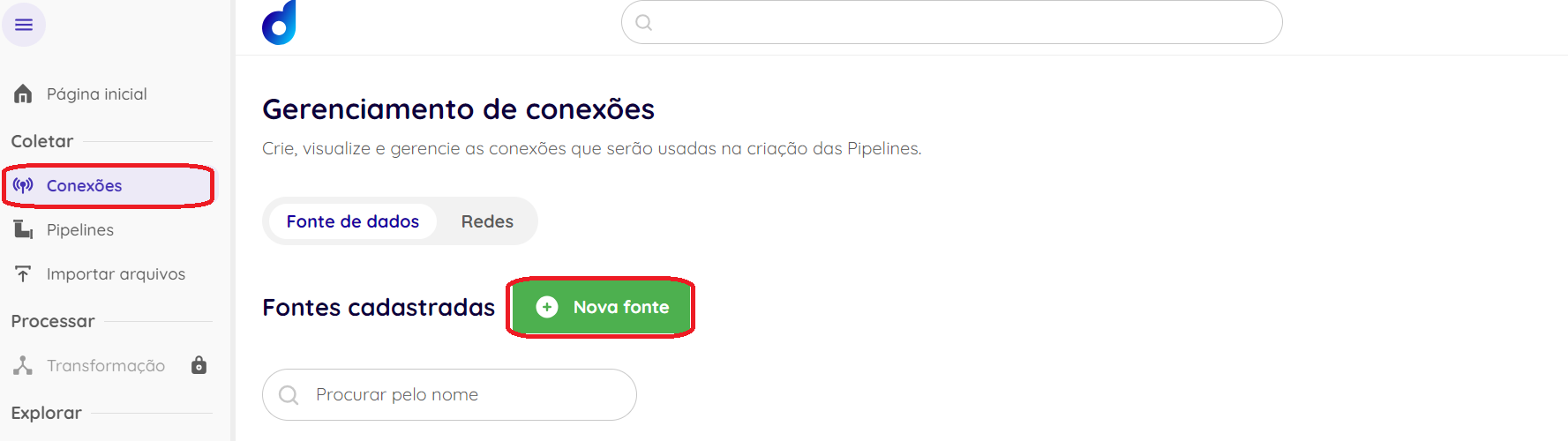
First, sign in to your Dadosfera environment. Then click: Connections -> New source.
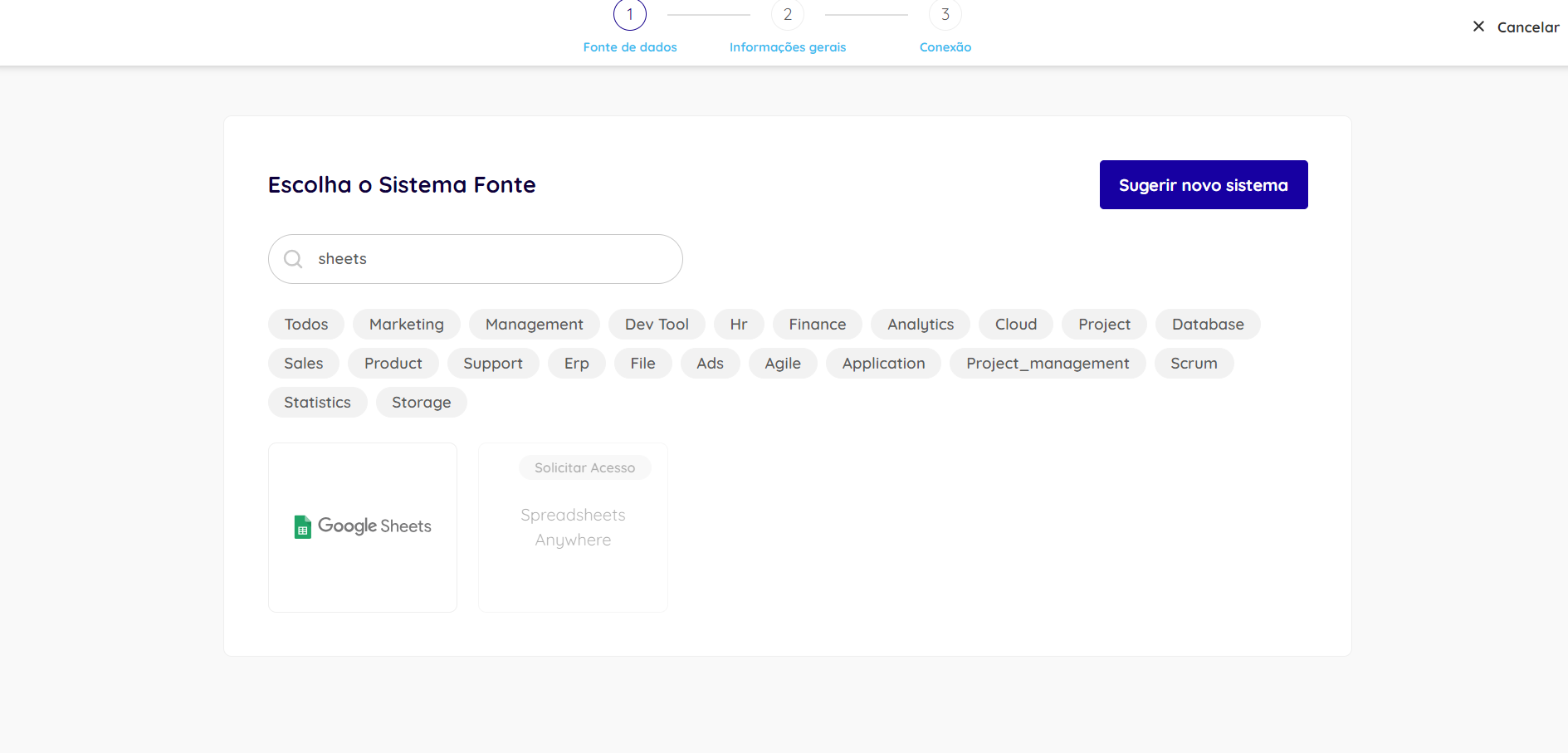
Now select the Google Sheets option:
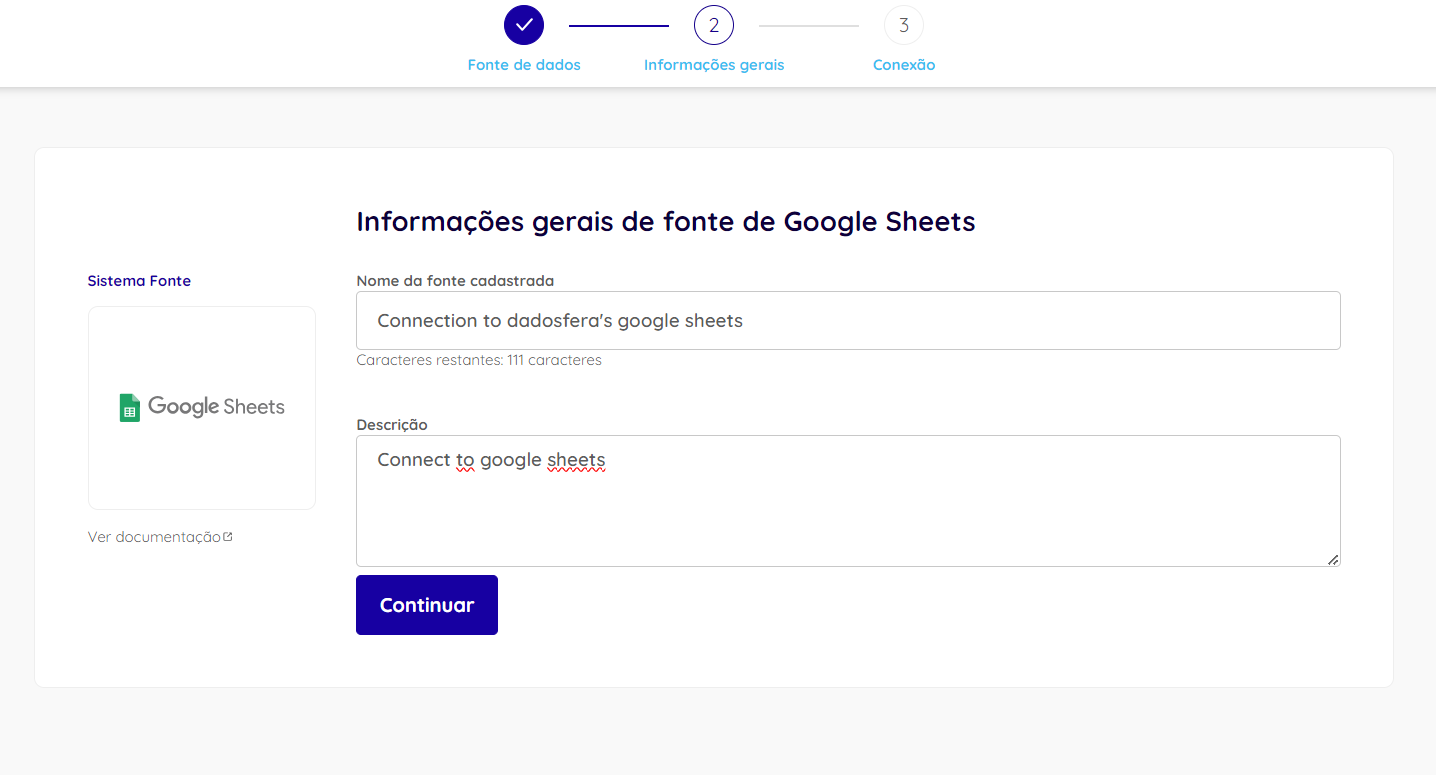
Fill in the required information with the connection name and description, then click Continue.
Next, click the Sign in with Google button and authenticate with the Google account you want to use.
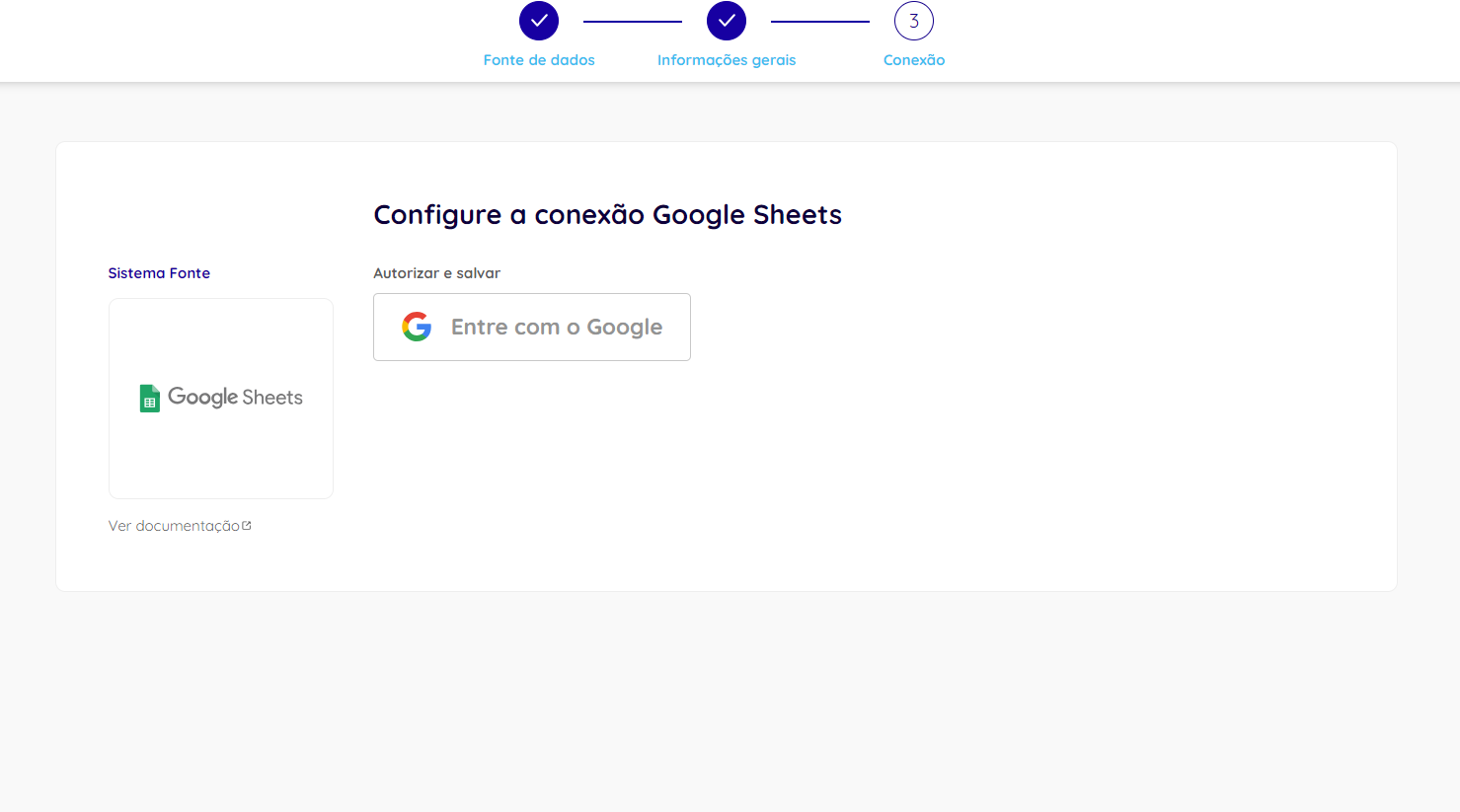
During the sign-in flow, click Advanced and then Go to dadosfera.ai (unsafe). Also accept all permissions requested during the process.