Version 1.7.3 | August 2025
Greater control, monitoring and security: discover what is new in Dadosfera. 🚀
✨ New features
DDF Status Page
Dadosfera now includes a Status Page feature, providing greater transparency and visibility into platform availability.
Public Status Page
A public page is available at https://live.dadosfera.ai/ to track the availability of Dadosfera's general services in real time. 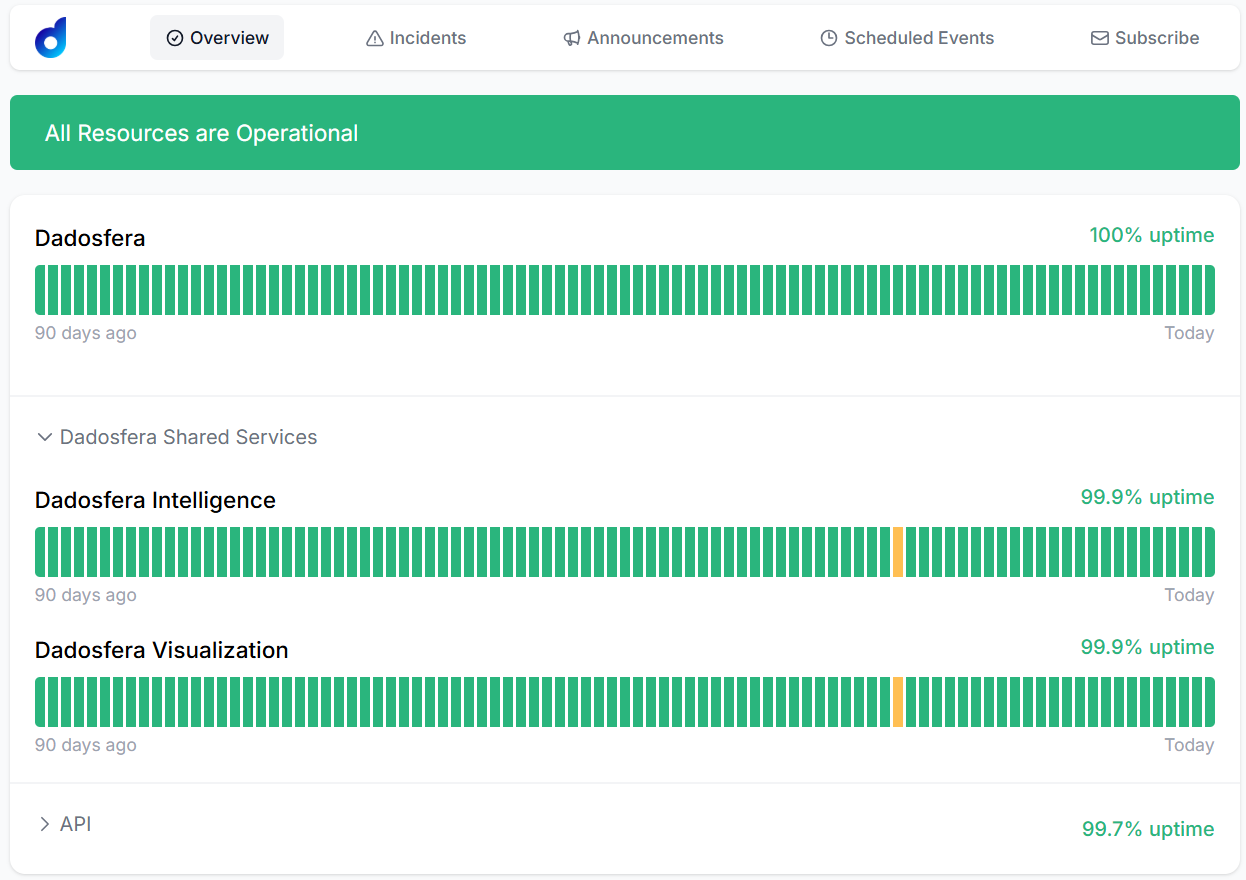
Custom Status Page
In addition to the public page, each customer can have a custom Status Page offering:
- Monitoring specific to the organization's modules.
- Tracking of previously registered critical pipelines.
- A dedicated view of environment health, focused on each customer's needs.
📢 Incident and maintenance communication
All incidents and scheduled maintenance will be communicated directly through the Status Page. Registered users can subscribe to email notifications for faster communication. The custom feature is available according to your subscription plan. For questions, contact our CS team at cs@dadosfera.ai.
Network Policies
Dadosfera now includes Network Policies, a feature that restricts platform access based on authorized IP addresses. This additional security layer provides greater control over who can access your organization's data and interface.
How it works
When Network Policies are enabled, only users connected to networks with previously authorized IPs can access Dadosfera through either the web interface or API. Access attempts from unauthorized IPs are automatically blocked. Restrictions apply to all users in the organization, working alongside multifactor authentication (MFA) to further protect the environment.
View the configuration
Under Access Management → Security, you can view the currently authorized IP ranges. 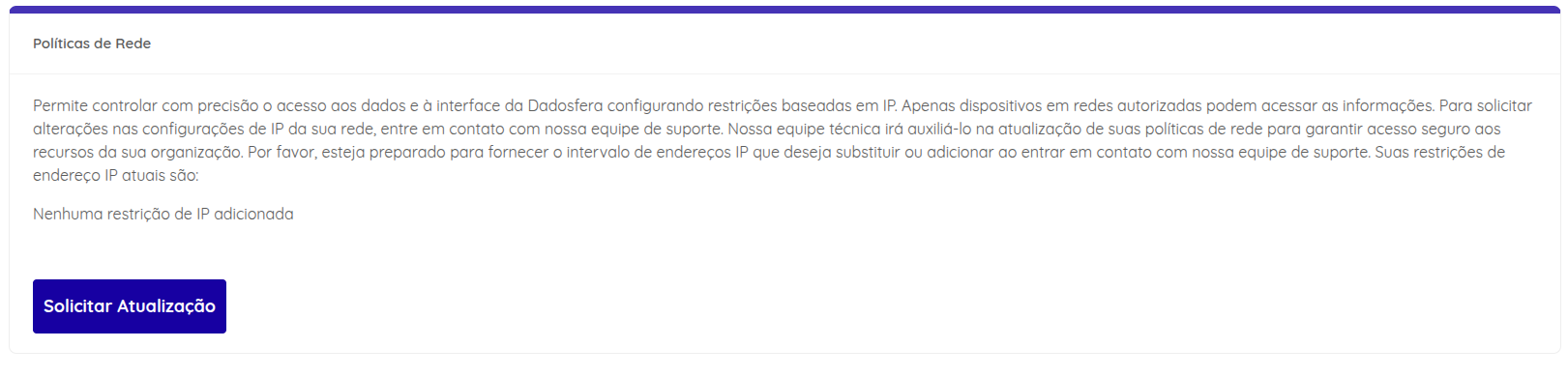
How to request changes
Restrictions must be updated together with the Dadosfera technical team. To make adjustments:
- Contact the support team through official channels.
- Specify whether you want to add IP ranges or replace existing ones.
- Provide ranges in CIDR format (e.g., 192.168.0.0/24).
- Wait for the technical team's confirmation that the new rules have been applied.
- After the update, the new policies take effect immediately. We recommend validating access from an authorized IP to confirm everything works correctly.
Note: this feature is available according to your subscription plan. For questions, contact our CS team at cs@dadosfera.ai.
Updates to the Asset Embedding and Sharing Module
Dadosfera introduces the Asset Embedding and Sharing Module, adding another layer of integration and collaboration to the platform. Your organization can:
- Share catalog assets through links with different levels of control and security.
- Embed assets in portals, internal systems or external applications, in various formats with configurable access policies.
Asset sharing
Link sharing grants access to specific catalog resources with full control over visibility and permissions. How to use it:
- Open the sharing menu in the catalog.
- Select the desired asset.
- Click the link button to open the options.
- Configure the link type:
- Private Link (default): requires platform login, respects existing permissions and keeps sensitive data secure.
- Public Link: requires no authentication, allowing open access to anyone with the link. Intended only for nonsensitive content aimed at external stakeholders.
Asset embedding
You can now integrate assets directly into external environments, choosing from three security modes:
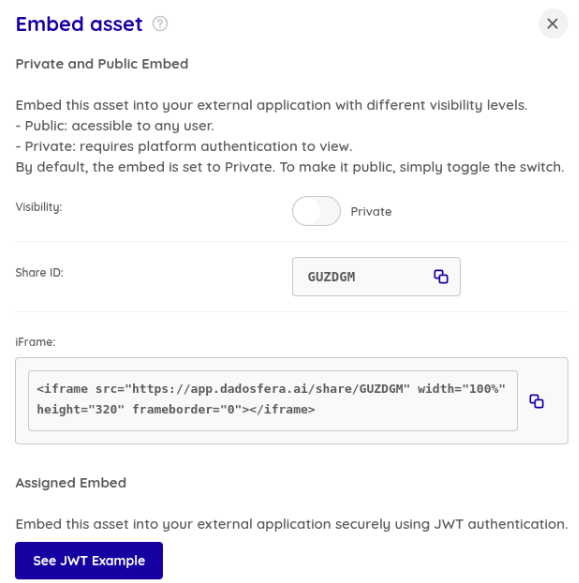
- Private Embedding: requires platform authentication. Ideal for internal use, allowing access only to authorized users.
- Public Embedding: allows access without authentication. Recommended for informational and demonstration content without critical data.
- Signed Embedding: uses signed JWT tokens with validity controlled through the API. Intended for secure integrations in external applications without requiring an active Dadosfera session. To activate it, configure the public key as instructed in the documentation.
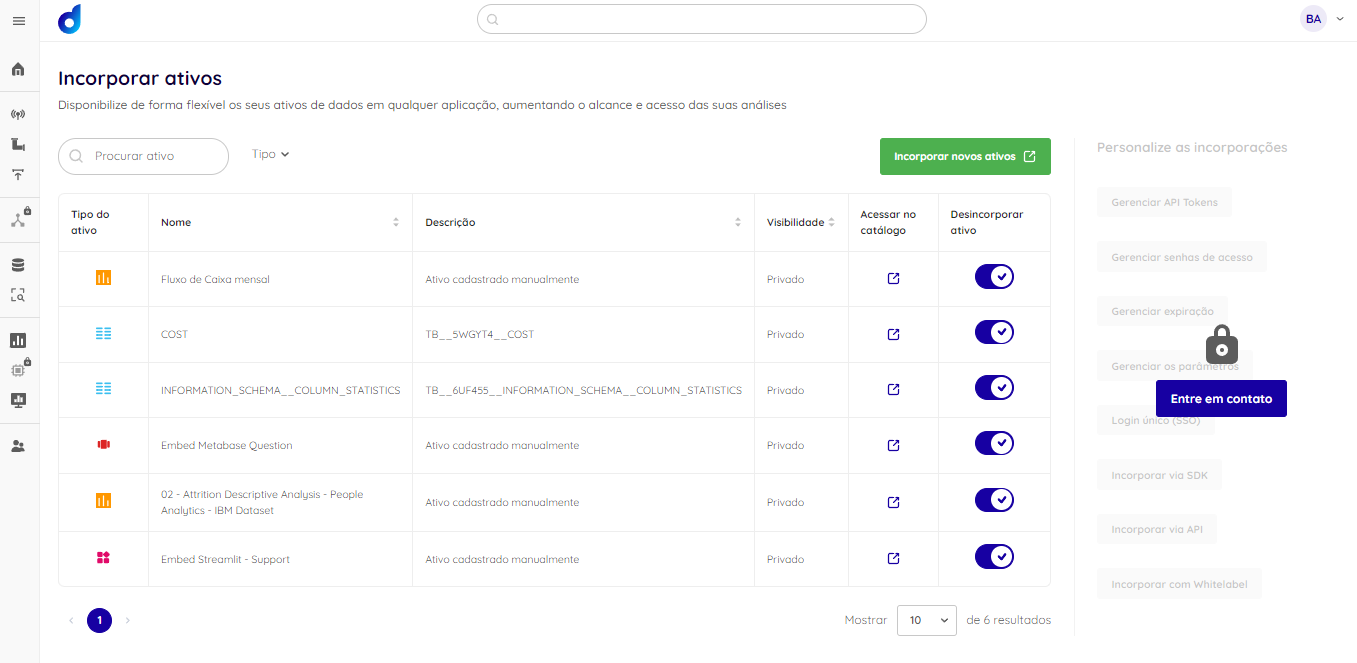
The module's central panel also lets you view and manage all assets embedded by your organization in one place:
Learn more about the module's features in our public documentation.
Note: this module is available according to your subscription plan. For questions, contact our CS team at cs@dadosfera.ai.
Single Sign-On (Azure)
Dadosfera now integrates Single Sign-On (SSO) through Azure Active Directory, providing:
- Simpler access: unified login with the same corporate credentials.
- Greater security: centralized authentication aligned with your organization's policies.
- Easier management: control users and permissions directly in Azure AD.
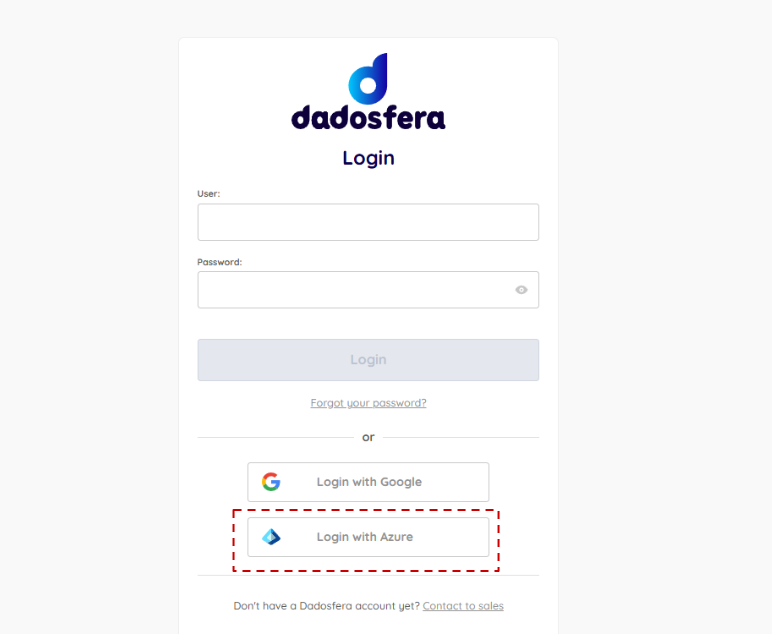
Note: this feature is available according to your subscription plan. For questions, contact our CS team at cs@dadosfera.ai.
Thank you for being part of the Dadosfera community!