Version 1.7.2 | May 2025
Greater control, speed and usability: discover what is new in Dadosfera. 🚀
✨ New features
New AutodriveDDF
The new Autodrive gives users much greater independence in data exploration and analysis. Main features include:
- Data Catalog search: quickly find data assets available on the platform, making relevant information easier to access and discover.
- Metabase integration: read and create dashboards directly in Metabase through Autodrive commands, generating insights faster.
- Snowflake queries: run queries directly in Snowflake through Autodrive commands.
If you are interested in the new AutodriveDDF, contact our CS team at cs@dadosfera.ai. 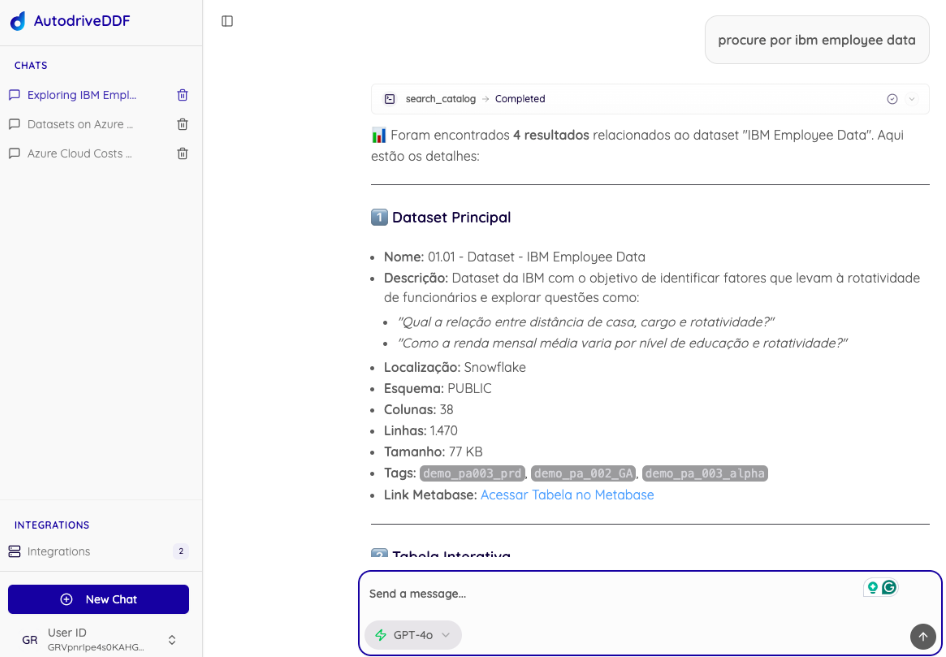
New danger zone on the security screen
The security screen now includes a danger zone for performing critical actions quickly in one place. Available options are: 🔒 Block all users 🔓 Unblock all users 🔁 Reset all users' passwords. This feature strengthens platform security and supports a quick response in risky situations. The danger zone will be available according to your subscription plan. For questions, contact our CS team at cs@dadosfera.ai. 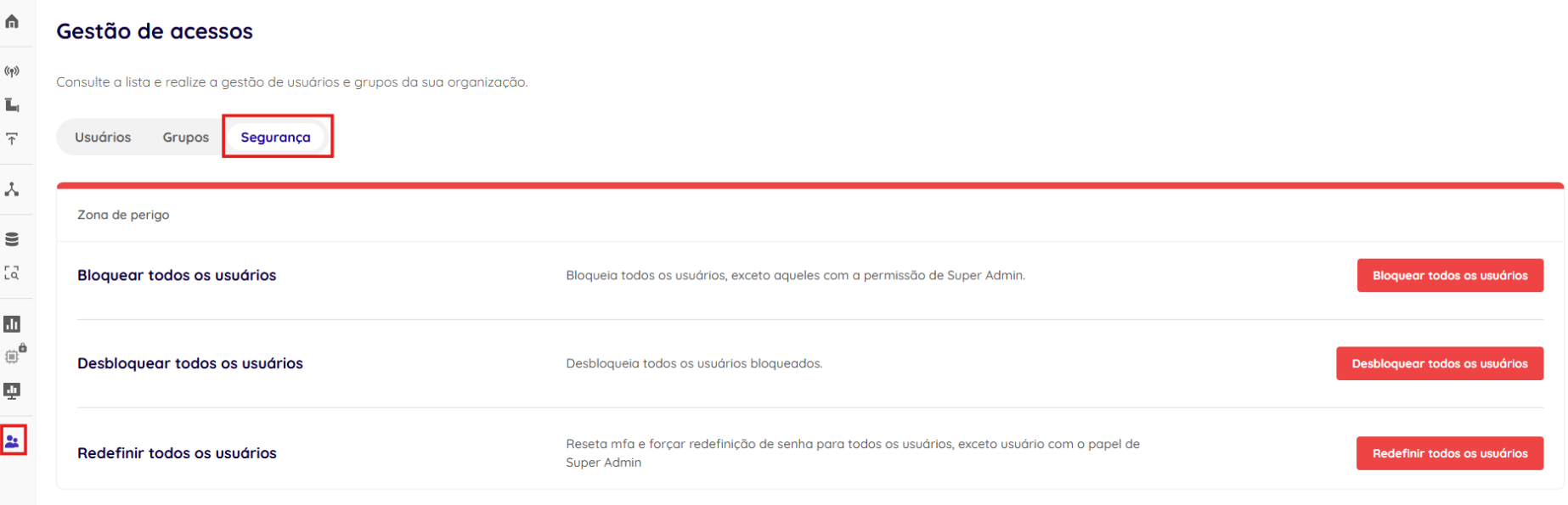 Important: only super admins can access this feature.
New access log monitoring screen
The new Logs tab is available under Access Management > Logs, with a centralized table containing detailed records of actions performed on the platform. It supports monitoring, auditing and administrative control with data such as date, time, action type and responsible user. The logs screen will be available according to your subscription plan. For questions, contact our CS team at cs@dadosfera.ai. 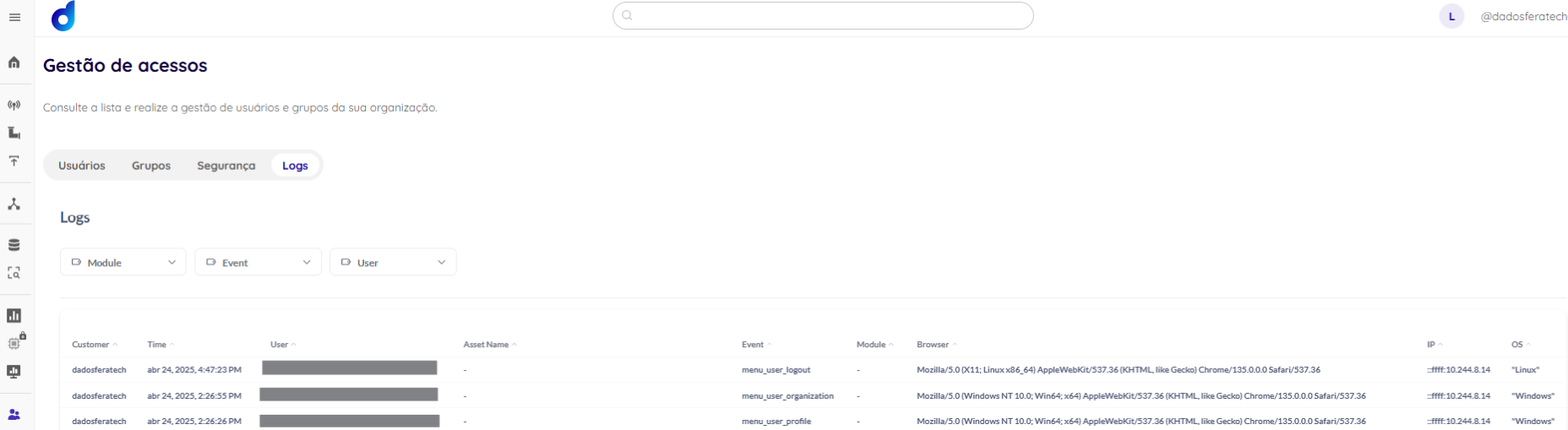 Important: only super admins can access this feature.
Bulk editing on the users screen
You can now perform bulk actions on the users screen! The same three danger-zone actions are available, applied only to selected users: 🔒 Block selected users 🔓 Unblock selected users 🔁 Reset selected users' passwords. Select the users you want to manage and choose an action. Bulk editing will be available according to your subscription plan. For questions, contact our CS team at cs@dadosfera.ai. 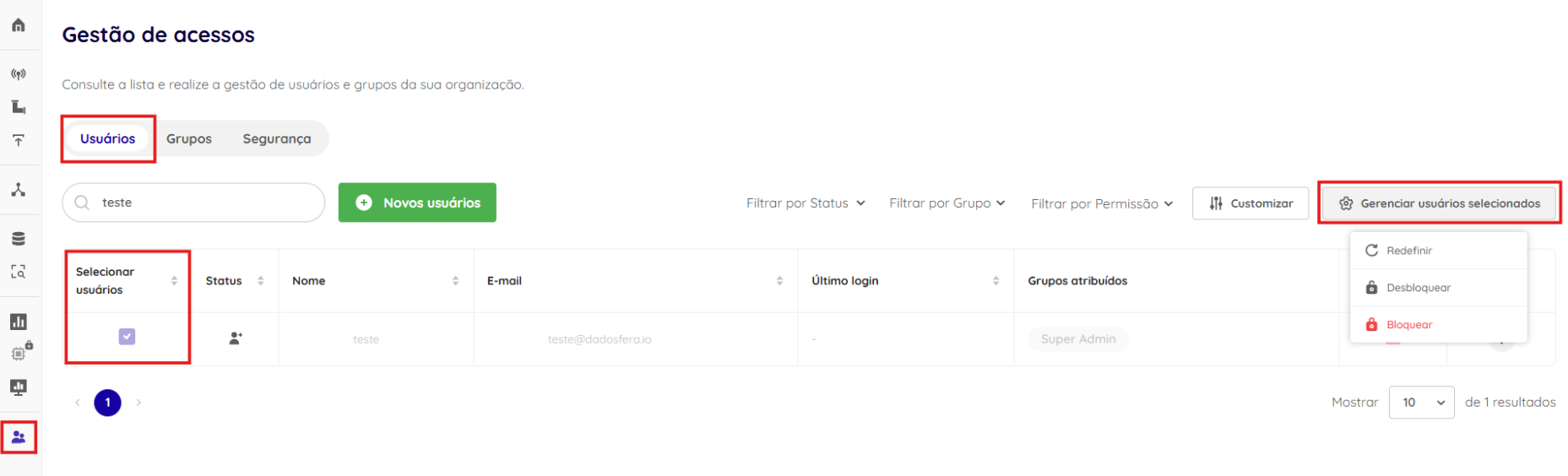 Important: only super admins can access this feature.
Mandatory MFA
The new Mandatory MFA feature strengthens platform security by requiring all users to enable multifactor authentication (MFA) to access their accounts. When enabled, it blocks access for users who have not yet configured MFA and requires them to configure it at their next login. Users who already use MFA continue logging in normally. This feature will be available according to your subscription plan. For questions, contact our CS team at cs@dadosfera.ai.  Important: the feature is restricted to users with Super Admin permissions, who are not subject to mandatory MFA.
Personally Identifiable Information (PII) report
The new feature generates a consolidated report of personally identifiable information (PII) in the platform's cataloged tables, based on a confidence score. The report supports compliance audits, quickly identifies where sensitive data is stored and can be exported as PDF, CSV or HTML. Each report includes:
- Tables and columns with detected PII
- Data types found (email, CPF, phone number, etc.)
- Confidence score (0–100%)
- Sensitivity level (Low, Medium, High)
- Timestamp of the last analysis

The catalog also includes a new tags modal for classifying assets as PII, Confidential or Verified, with distinct colors to make data identification and management easier. 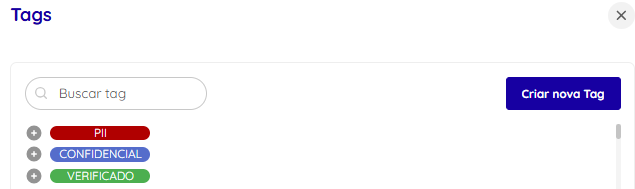 This feature will be available according to your subscription plan. For questions, contact our CS team at cs@dadosfera.ai. Important: only super admins can access this feature.
New panel to quickly enable and disable sessions
Session management in the Intelligence and/or Processing Modules is now faster! Enable or disable sessions in bulk with a few clicks, selecting multiple projects at once. 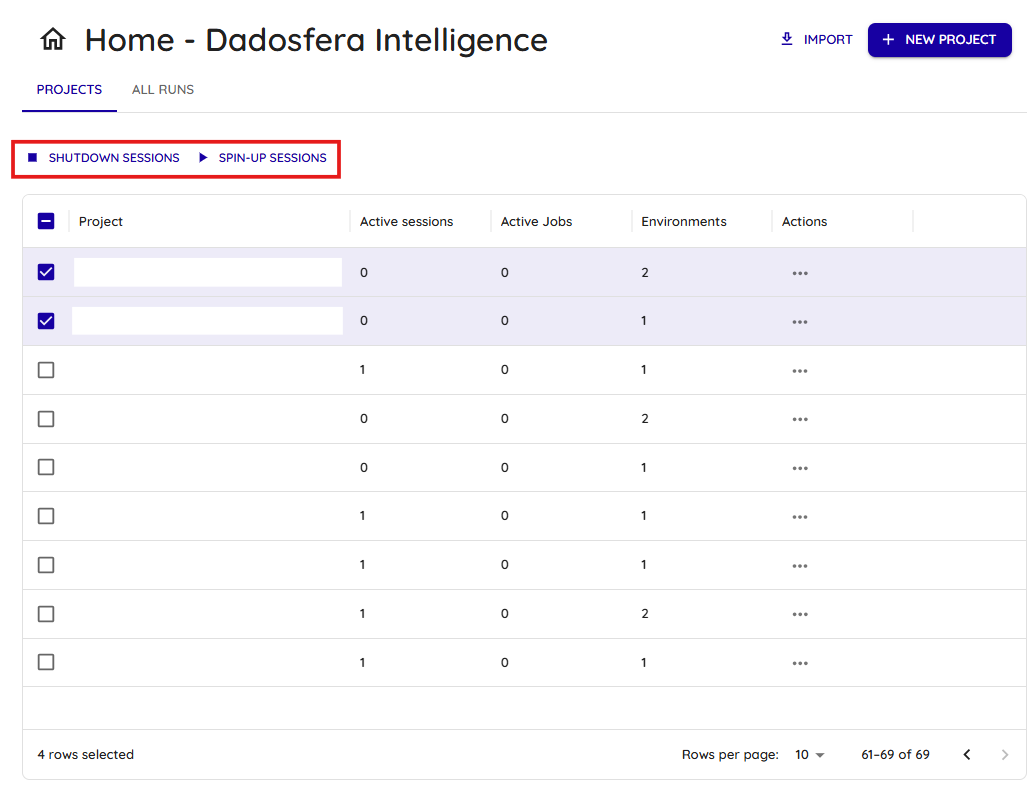
New connector available: SkillCorner
A new connector is here! You can now integrate data from SkillCorner, a platform specializing in advanced data for football performance analysis. Use this connector to enrich your sports analyses with precise, detailed information. 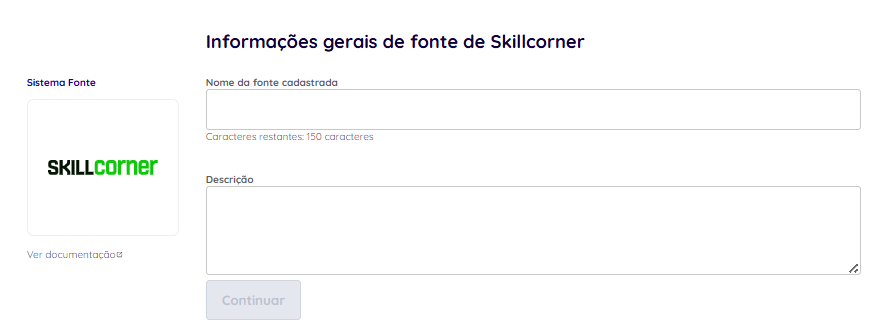
✅ Improvements
New access to monitoring in the Intelligence and/or Processing Modules
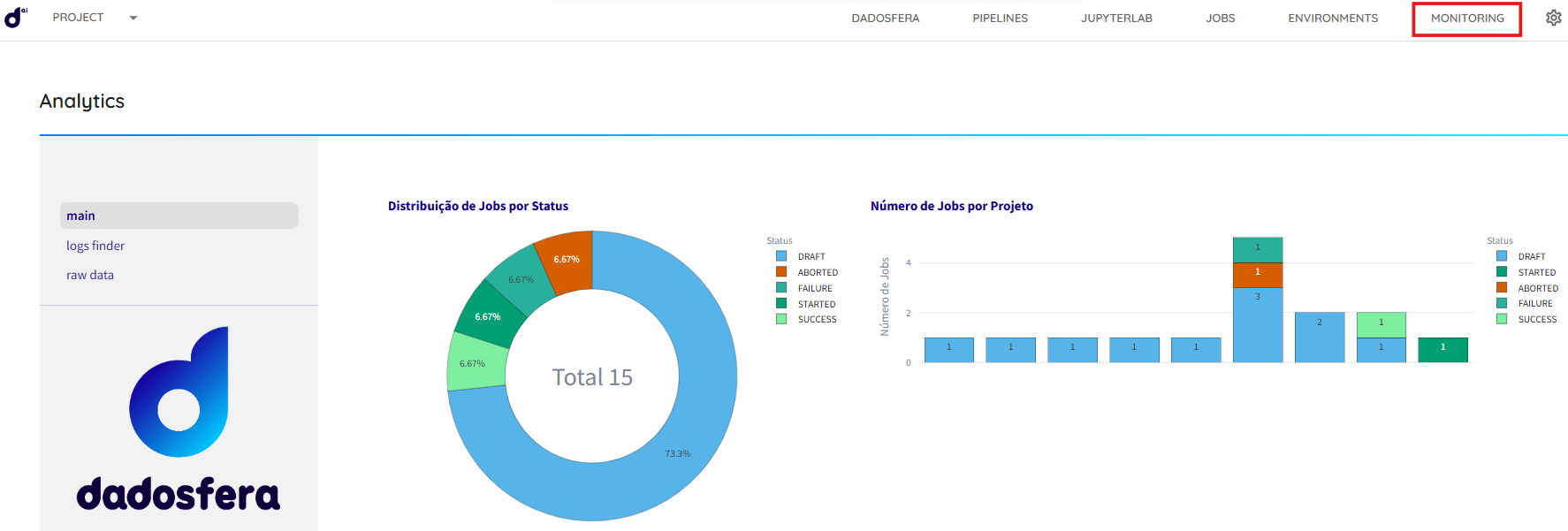
Navigating to the pipeline and job monitoring screen in the Intelligence and/or Processing Modules is now simpler and more intuitive! Previously, you had to manually add /app-analytics to the end of the URL to open the monitoring view. The modules now have a dedicated button that opens the new monitoring screen directly, reducing friction when tracking executions.
Link back to Dadosfera in the Intelligence and/or Processing Module header
We added a direct link in the module header to make it easier to return to the platform. This small usability improvement makes navigation smoother, more intuitive and faster, especially for daily users. 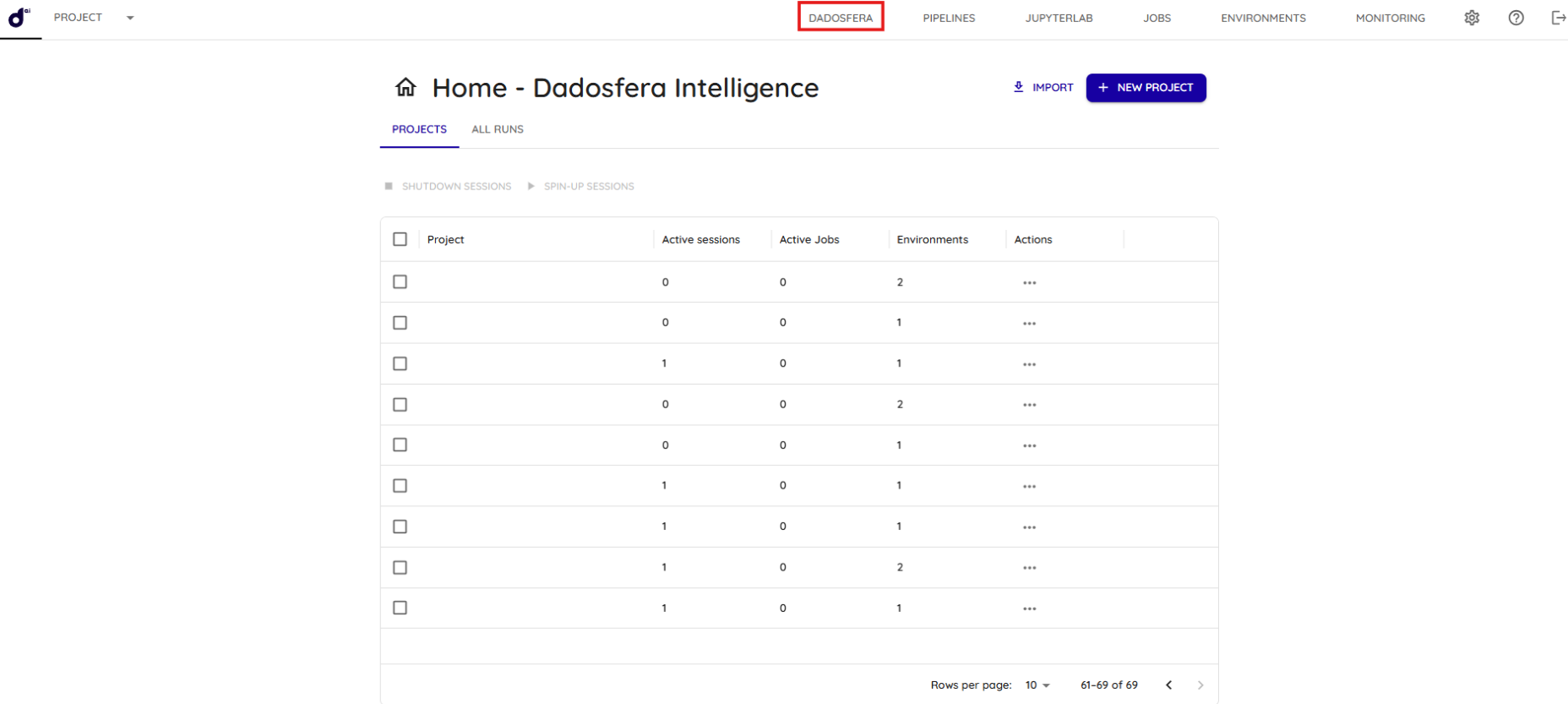
Visualization Module update to version 53
There is more! Version 53 of our Visualization Module brings interface and performance improvements for a more intuitive and efficient experience. Read more here.
Other improvements
- Changed the interface so a session is deactivated only when the user clicks the toggle button.
- Changed behavior so accessing a project does not immediately start its session.
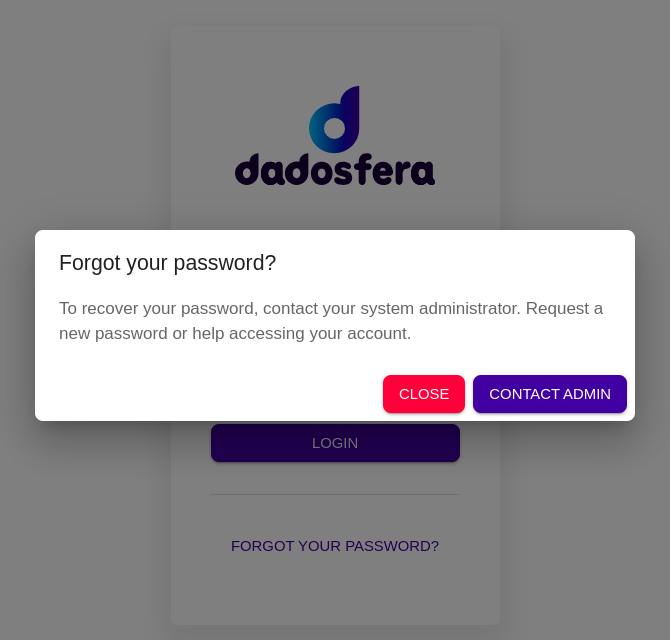
- Added a 'Forgot my password' link to the Intelligence and/or Processing Module login screen, with a modal directing users to contact support.
🛠 Bug fixes
Fix for accessing connection actions
- When users tried to access the action options (three dots) for a specific connection, the system unexpectedly redirected them to another screen instead of displaying the actions menu.
- Clicking the three dots now correctly displays the actions menu so users can manage the connection as expected.
Error message translation fix
- We fixed a bug that displayed error messages in Portuguese even when the platform was configured in English.
Thank you for being part of the Dadosfera community!