Version 1.7.0 | June 2024
We are excited to introduce the latest Dadosfera updates!
✨ New features
Already available
New pipeline monitoring screen
Our new pipeline monitoring screen provides a complete overview of the status of recent executions, with detailed history. To access it, open the Collection Module, go to Pipelines and click 'Monitoring': 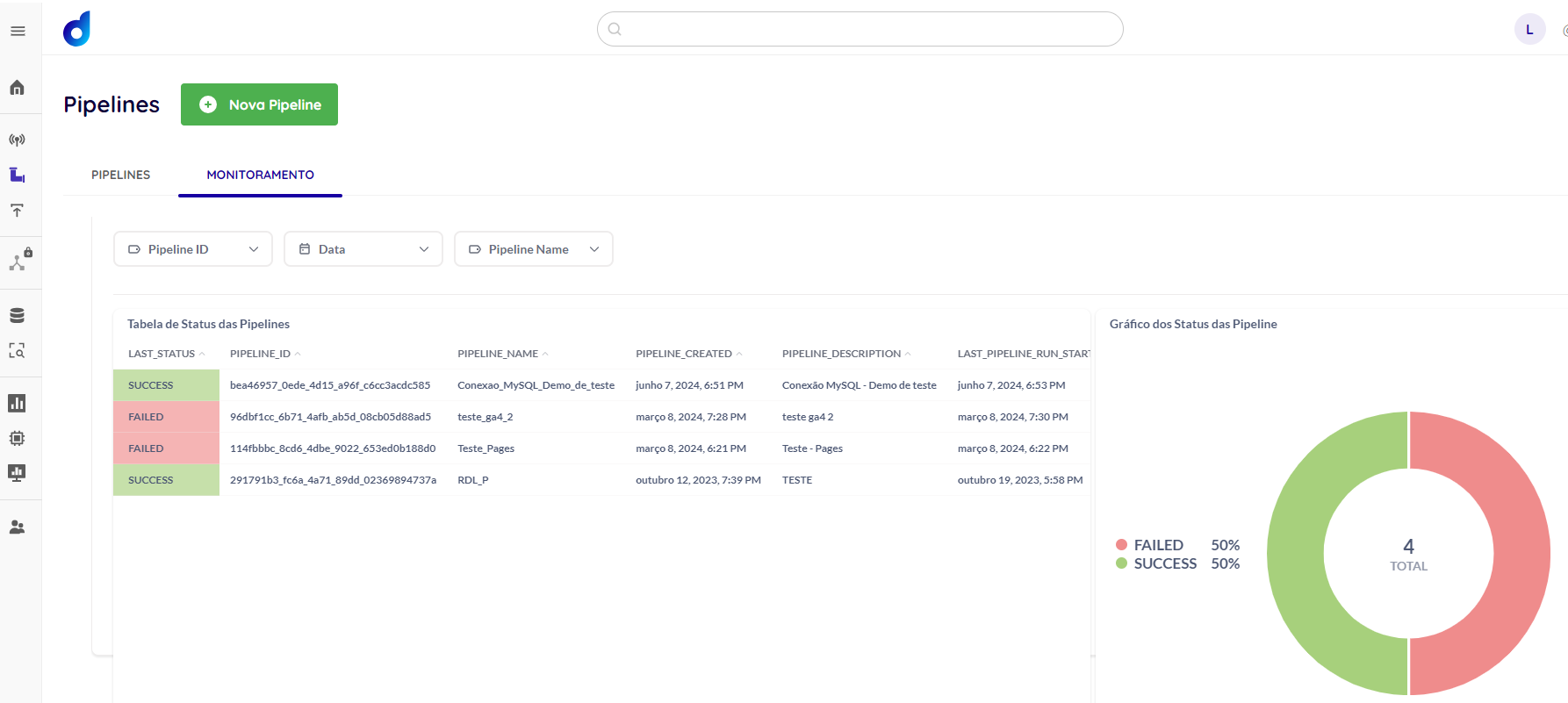
New job run monitoring screen in the Intelligence and Processing Modules
The Intelligence and Processing Modules now offer more effective job monitoring. This new screen provides detailed insights into job status and performance, giving you greater control and operational efficiency. To access it, open the Intelligence or Processing Module and click 'All Runs': 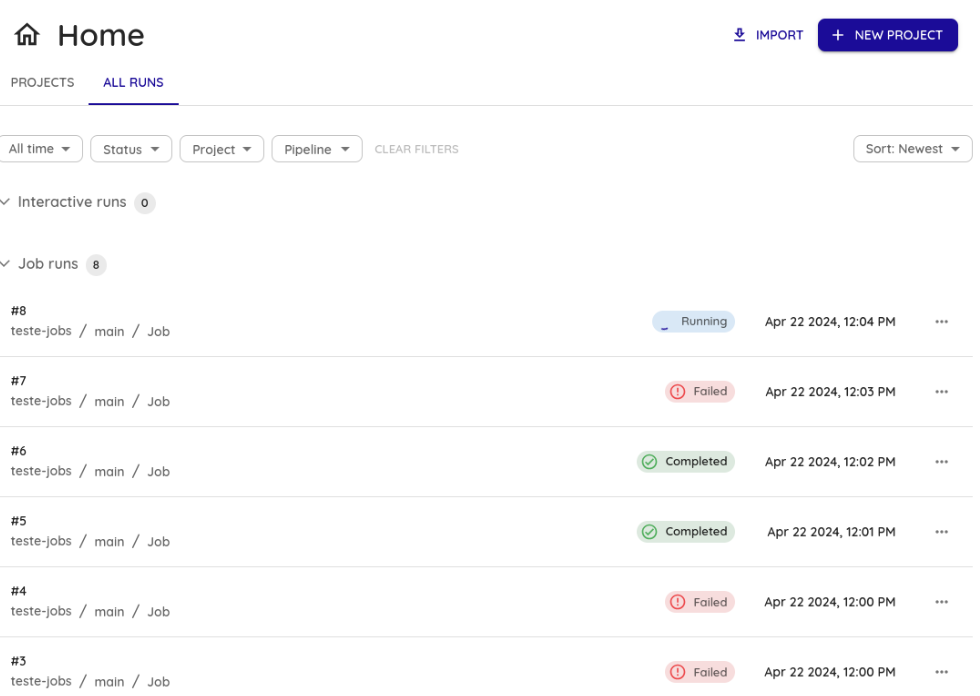
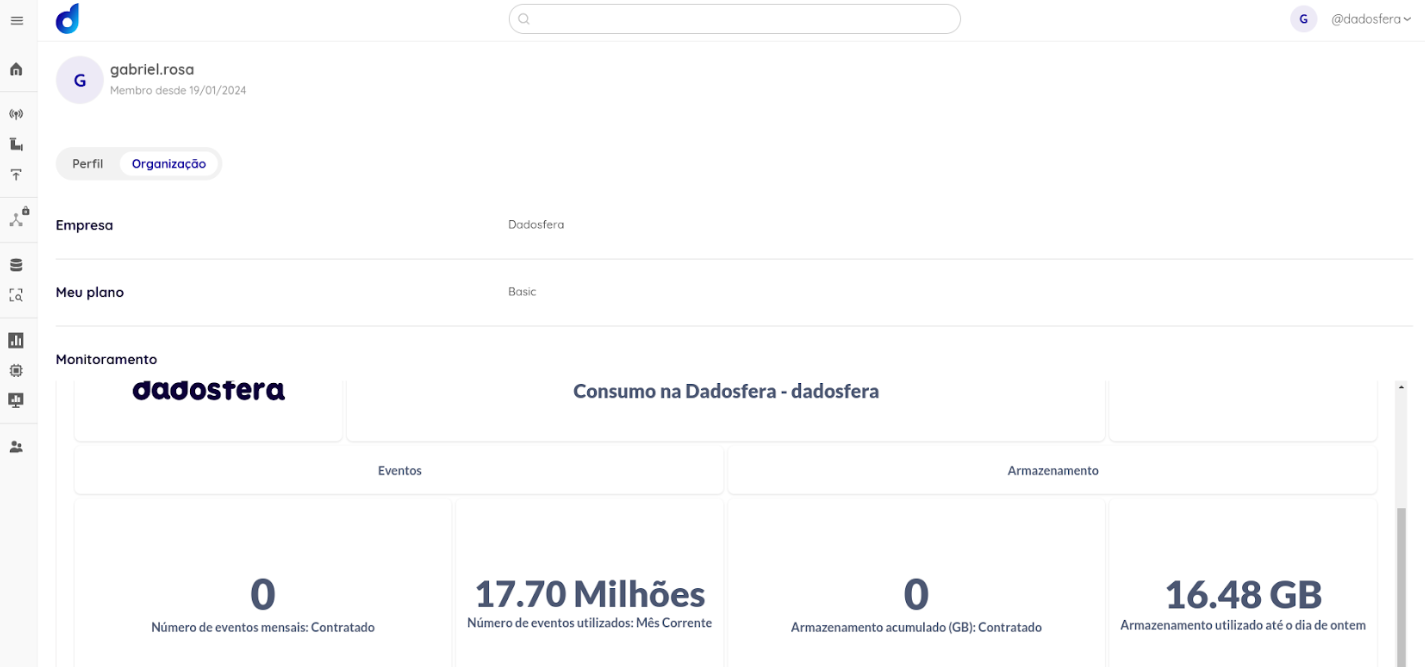
New event consumption and storage monitoring screen
The new Event Consumption and Storage Monitoring screen provides a comprehensive view of critical resource usage. Users can monitor the number of events processed and the storage space used, with detailed insights to support proactive management and resource optimization. By default, this screen is available only to Super Admin users. You can also create new access groups with the 'View monitoring dashboard' permission. 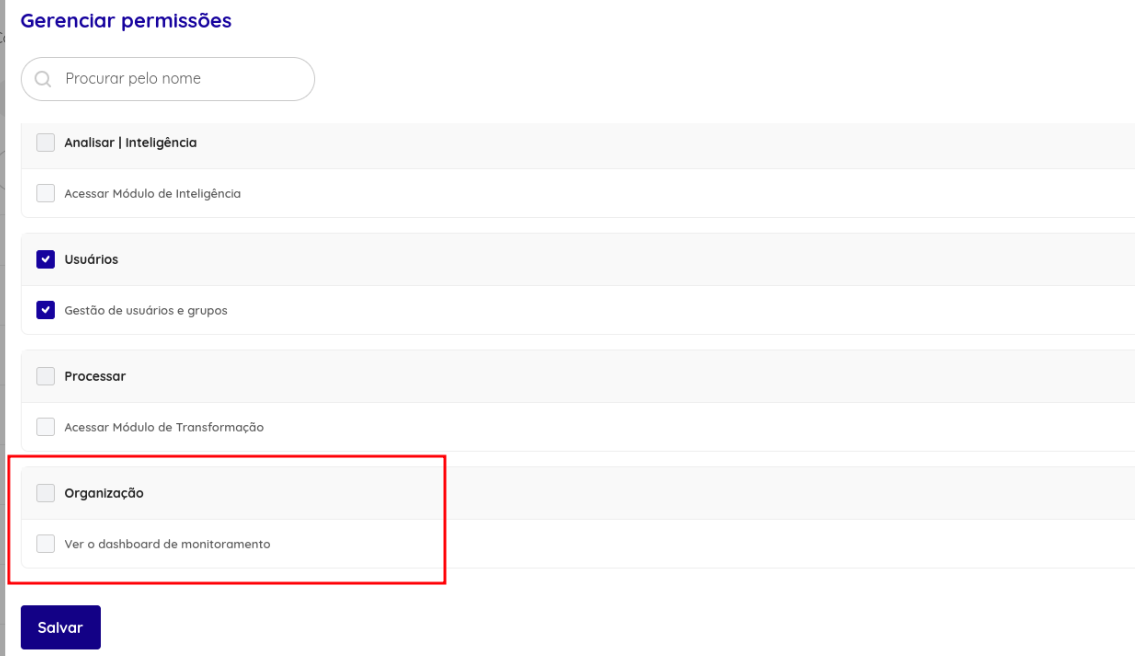 To access it, click 'My Organization' in the upper-right menu.
Dadosfera Multi-Cloud
The Collection, Query, Intelligence and Processing Modules can now be made available on AWS, Azure and GCP cloud platforms. This provides greater flexibility in choosing and integrating services in multi-cloud environments.
Starting July 1, 2024
Visualization Module update to version 49
There is more to come! Version 49 of our Visualization Module will bring interface and performance improvements for a more intuitive and efficient experience. Read more here.
✅ Improvements
Already available
Selected tags sorted to the top of the catalog list
Tags selected for filtering in the catalog move to the top of the list, improving usability.
Pod limit increased to 250
We improved our infrastructure by increasing the available Pod limit to 250, providing greater scalability and operational capacity for our users.
Starting July 1, 2024
Data asset permission changes
Access to Data Assets will be restricted to owners and members of the Data Asset Manager group, strengthening data control and security. Contact your environment administrators to ensure your access.
🛠 Bug fixes
Expansion arrow position adjustment
When collapsed, the arrow covered the Support button and prevented its use. We moved it higher up.
Fix for the Jupyter Server bug affecting the Intelligence Module
We resolved an issue where Jupyter Server occasionally failed during startup, making associated sessions unavailable and preventing notebooks from loading correctly when accessed.
🔒 Security updates
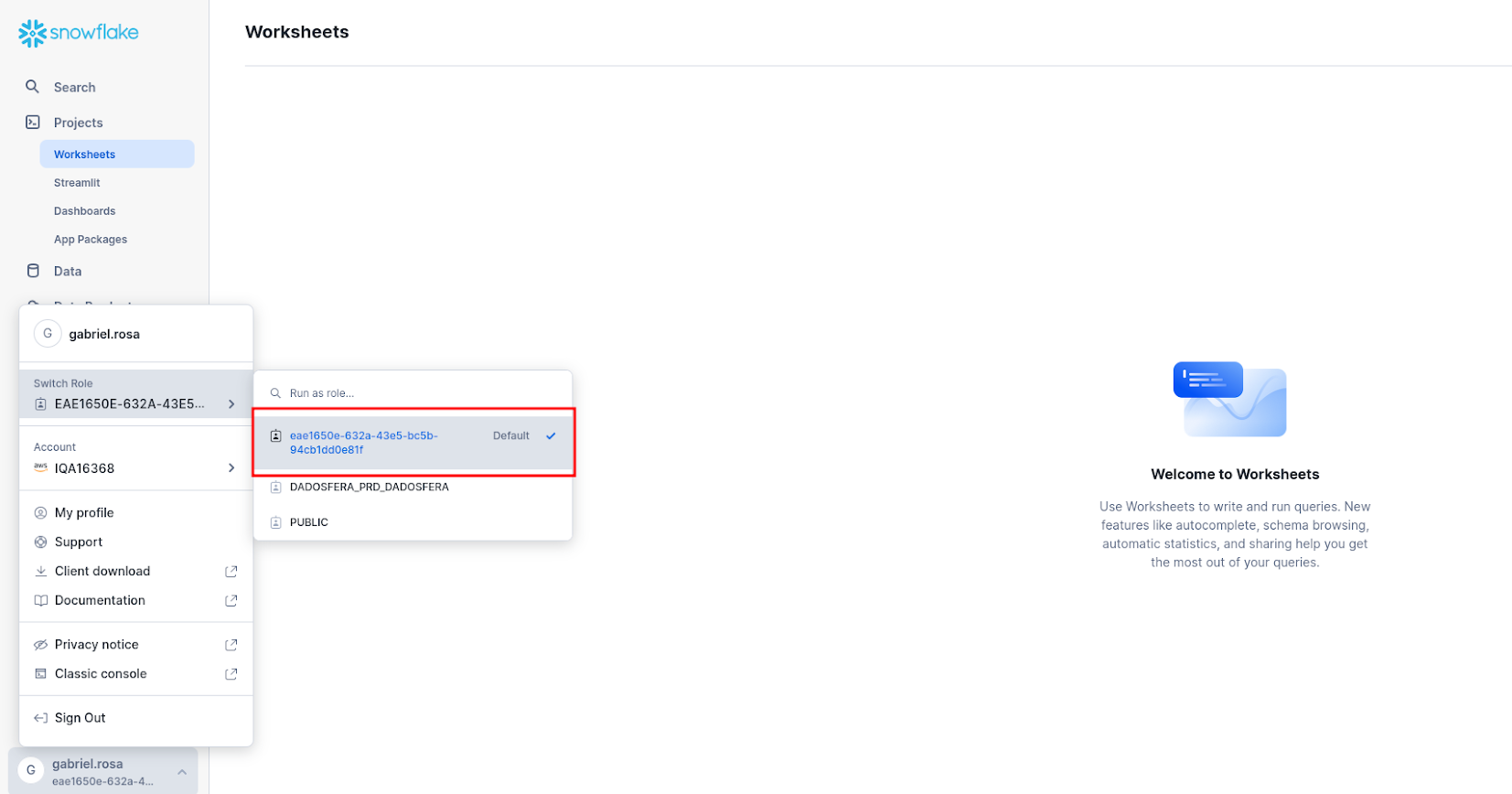
Dadosfera ID used as the Snowflake username
To improve data governance and strengthen asset security, we are updating how existing Snowflake users are displayed. Instead of their usernames, they will now be shown with their corresponding Dadosfera IDs.
We understand the importance of maintaining control and security over your data and assets. This update is an important step in that direction. In practice, it does not change users' operations; it is only a data anonymization measure.
Thank you for being part of the Dadosfera community!